Product overview6
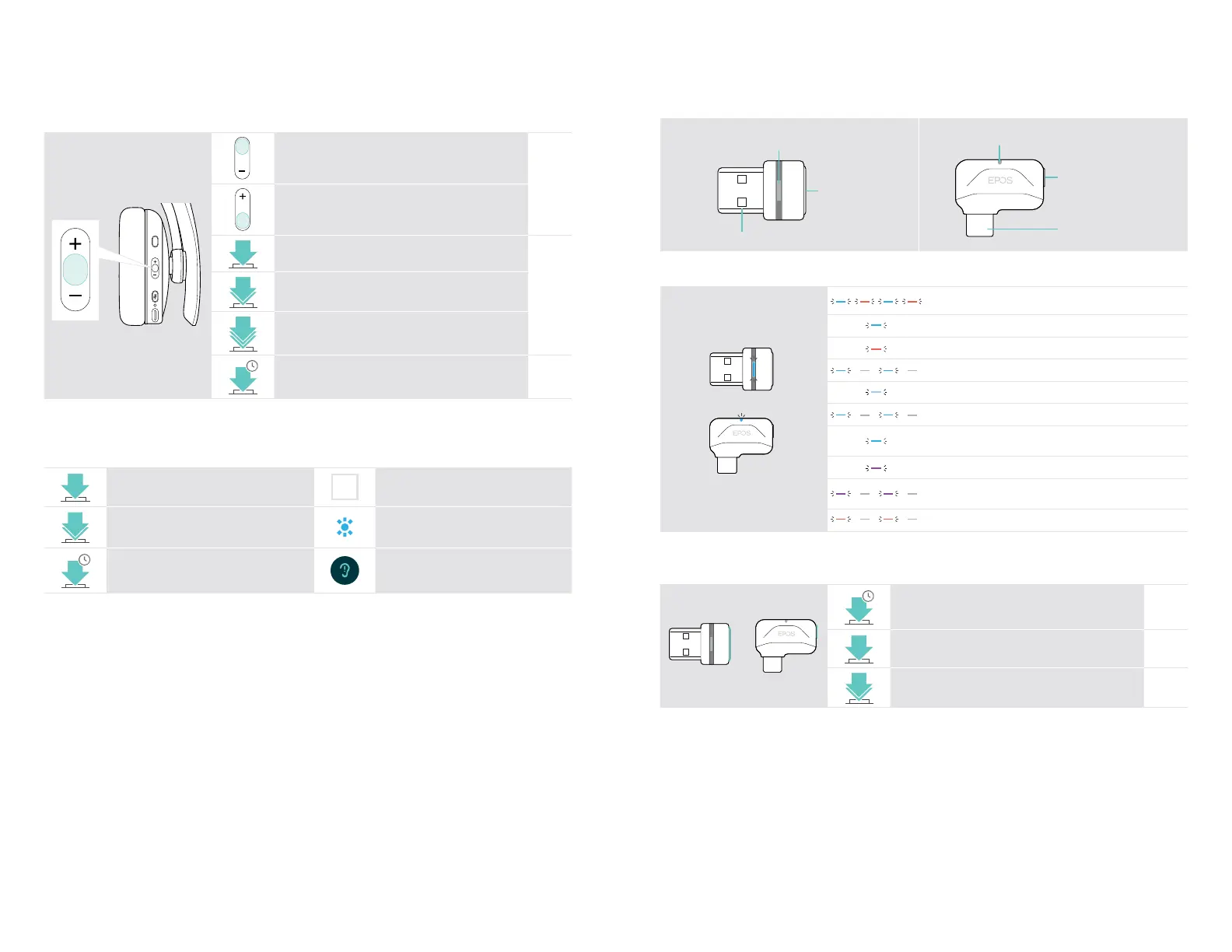
Multifunction button Press Function Page
Increases the volume (press or press and hold)
13
Decreases the volume (press or press and hold)
Starts / pauses audio playback
18
2x
• Skips to the next track
• Press and hold: Fast-forwards the track*
3x
• Skips to the previous track
• Press and hold: Rewinds the track*
4s
Clears pairing list (Pairing mode):
Press Power & Multifunction button
25
* These functions are not supported by all connected Bluetooth devices.
Overview of the icons
Tap the button
i
Notes: Good to know
2x
Press the button twice LED indications
3s
Press and hold the button Voice prompt is announced
ADAPT 200 series Bluetooth
®
headset
Product overview7
Overview of the dongle
BTD 800 USB BTD 800 USB-C
USB-A plug
Link LED
Link button
USB-C plug
Link LED
Link button
Overview of the dongle LED indications
Dongle in pairing mode:
searching for headset
3x
Pairing successful
Pairing failed
Dongle tries to connect to a Bluetooth device
Dongle and Bluetooth device connected
Incoming call
• Outgoing/active call
• Audio playback
Connected to Teams
• Teams notication
• Connecting to Teams or Invoking Cortana
Microphone of the connected Bluetooth device is muted
Overview of the dongle button
Link button Press Function Page
3s
Pairs the dongle with the headset 8
Reconnects the headset 21
2x
Disconnects the headset 21









 To Next Page