Putting the devices into operation
12
Putting the devices into operation
EM 500 receiver
Setting up the receiver on a flat surface
Place the receiver on a flat, horizontal surface. Please note that the device feet can leave
stains on delicate surfaces.
Fitting the device feet Clean the base of the receiver where you want to fix the device feet.
Fit the device feet to the four corners of the receiver.
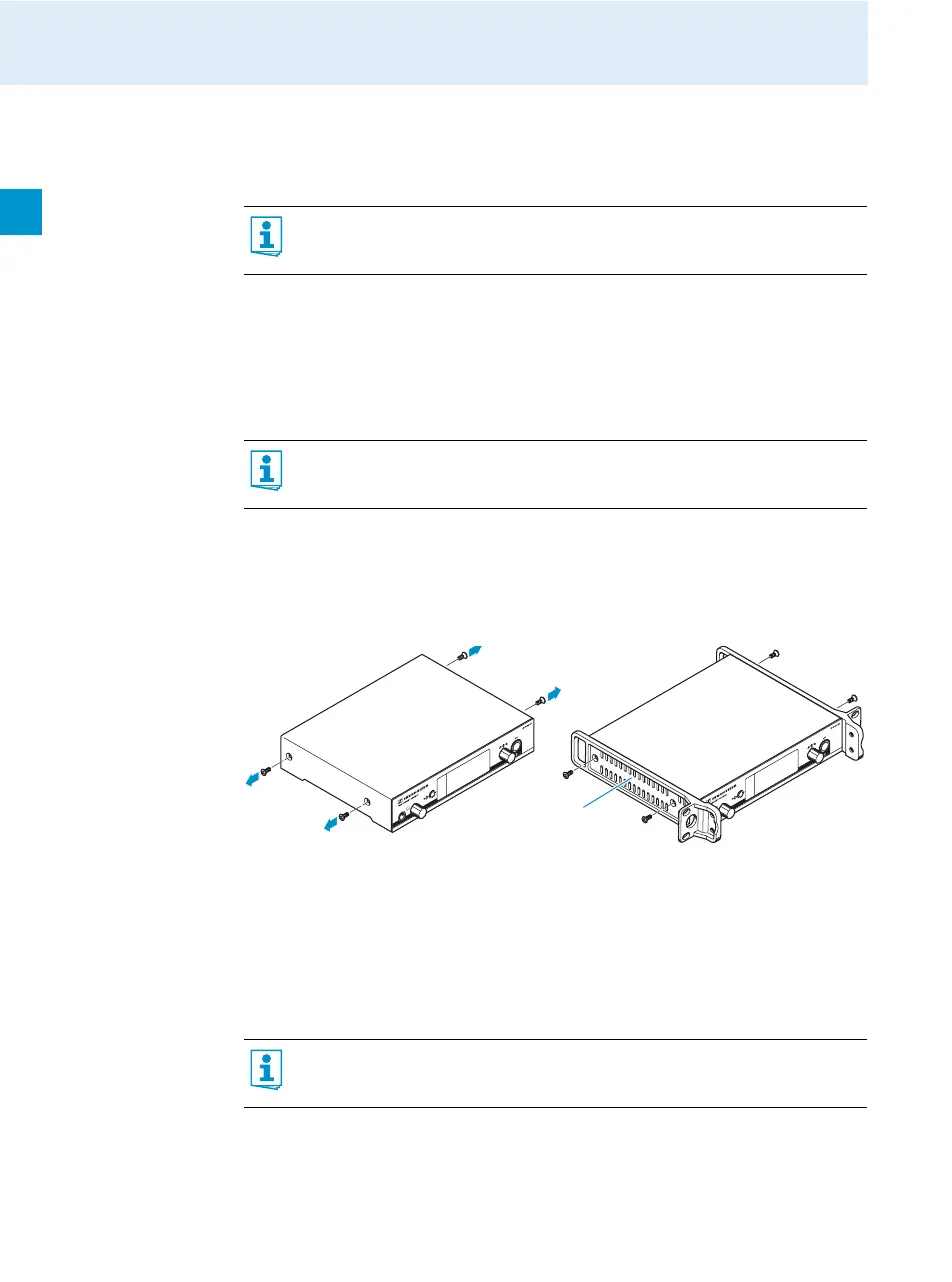
Mounting the rack
mount “ears”
To fasten the rack mount “ears” :
Unscrew and remove the two recessed head screws (M4x8) on each side of the receiver
(see diagram).
Secure the rack mount “ears” to the sides of the receiver using the previously removed
recessed head screws.
Connecting the
rod antennas
The supplied rod antennas are suitable for use in good reception conditions.
Connect the antennas. You have the following options:
– You can connect the rod antennas to the rear of the receiver.
Align the antennas in a V-shape.
The rack mount “ears” are designed to help protect the operating elements from
damage or deformation, e.g. if the receiver is dropped. Therefore, fasten the
stacking elements, even if you do not want to rack mount your receivers.













 To Next Page