M2 AEBT | 19
Using the headphones
Checking the remaining battery life
If the headphones are not playing music or if there is no active call, you can
check the battery life for the remaining play and call times.
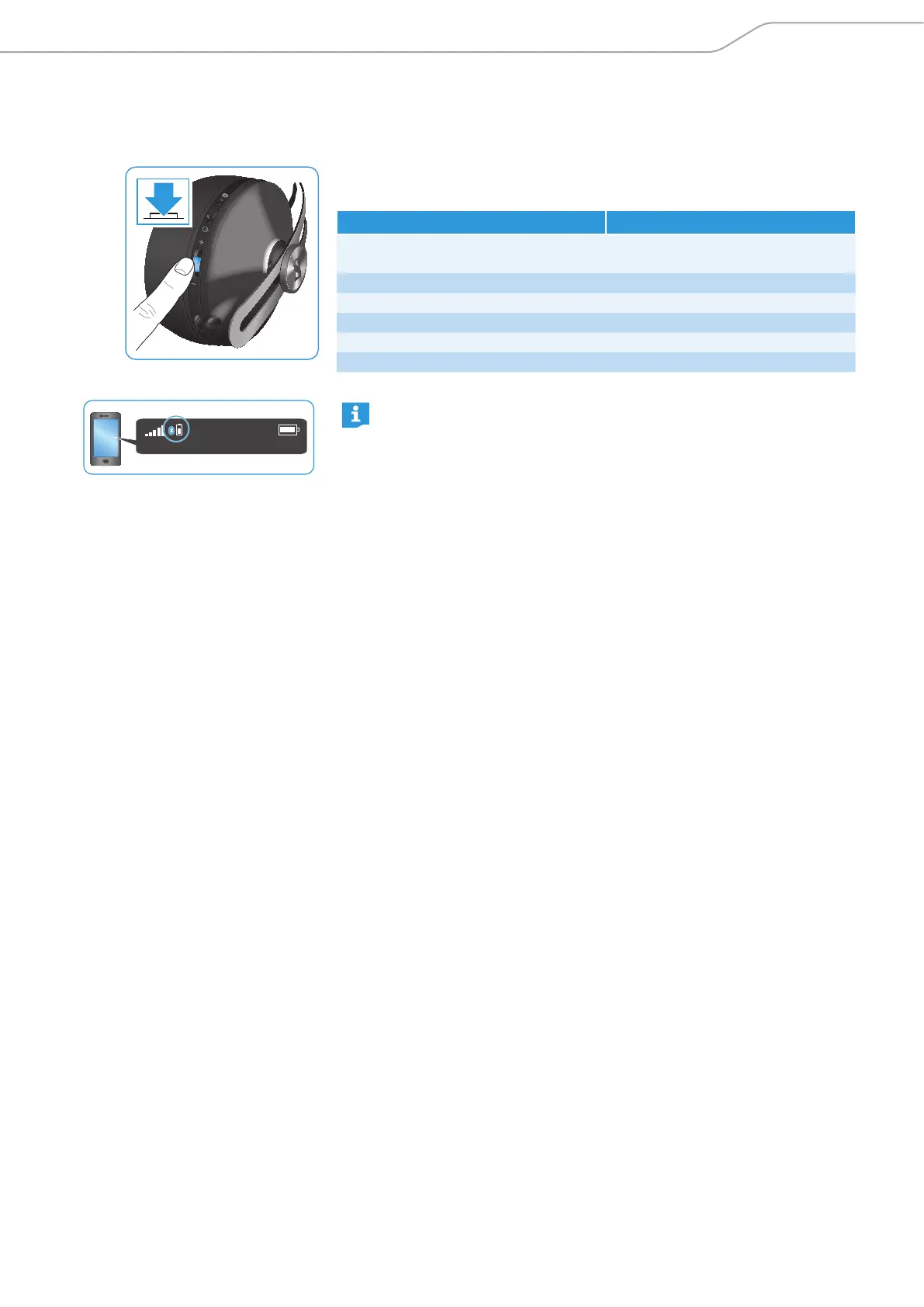
X Press the 3-way multifunction button thrice quickly.
You hear the voice prompt stating the remaining play time.
Voice prompt Meaning
„Recharge headset"
Battery is almost empty (less than
2% charged)
„Below 3 hours play time" Battery is less than 15% charged
„Between 3 and 5 hours play time" Battery is less than 25% charged
„Between 5 and 11 hours play time" Battery is less than 50% charged
„Between 11 and 18 hours play time“ Battery is less than 80% charged
„Between 18 and 22 hours play time“ Battery is more than 80% charged
Depending on your smartphone, the battery life of your headphones
may also be displayed on the screen.
3x




 To Next Page