16
Switching a NET 1 system on
For reliable detection of the rack-mount devices, we recommend the
following sequence:
Switching the devices on
왘 Switch on the devices connected to the NET 1.
Switching the NET 1 on
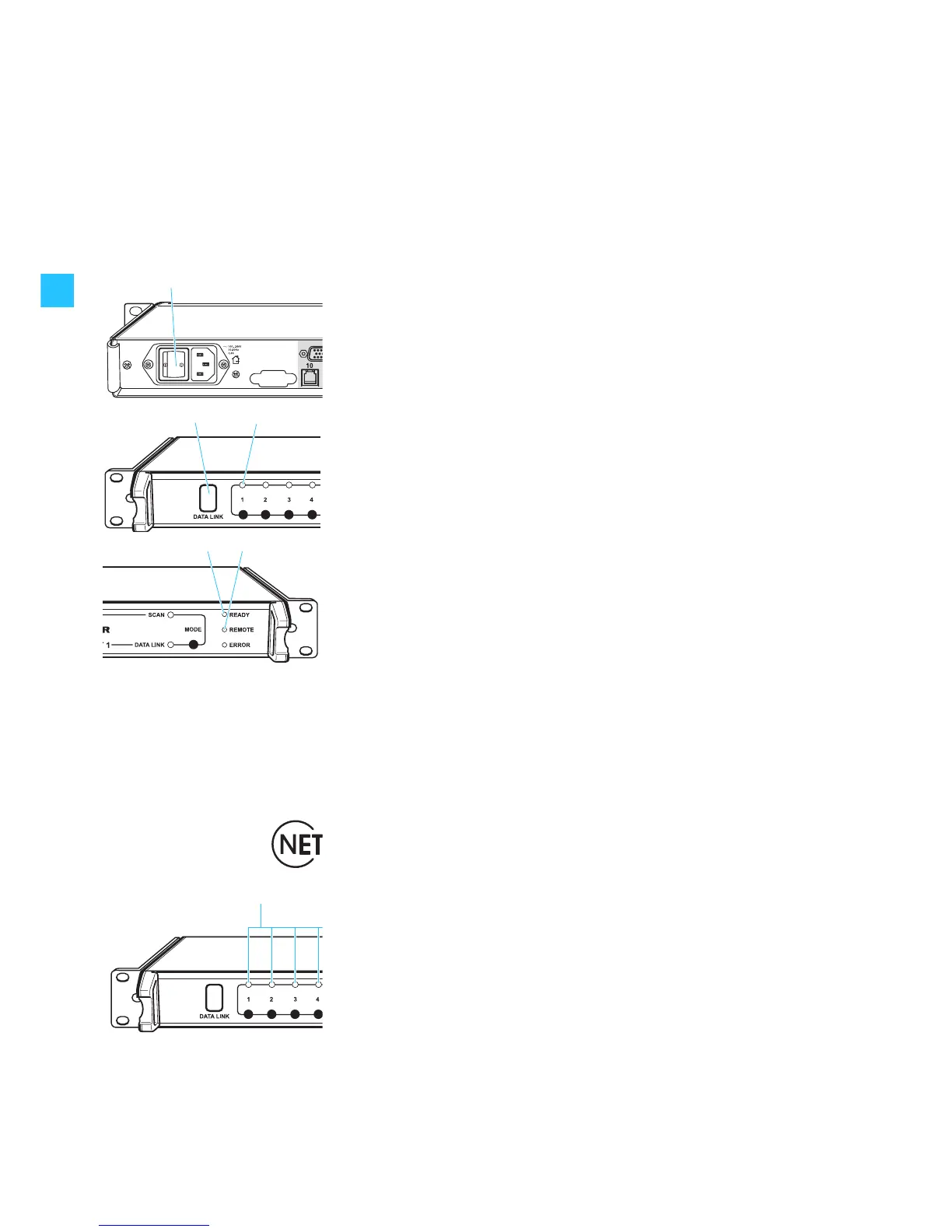
왘 Press the ON/OFF switch to switch on the NET 1.
After switch-on, the green “READY” LED flashes, indicating that the
NET 1 is being initialized. As soon as the NET 1 is ready for operation, the
“READY” LED lights up permanently.
If a connected device is detected by the NET 1, the corresponding green
“CHANNEL” LED lights up permanently and the infrared interface is
permanently backlit in blue.
Note:
It is OK to switch on all rack-mount devices and the NET 1 simultaneously
via a main switch if one exists.
Starting the “Wireless Systems Manager” software
왘 Start the “Wireless Systems Manager” software as described in the
instructions for use of the software.
Once communication between the PC and the NET 1 is working properly,
the yellow “REMOTE” LED on the NET 1 (and on all daisy-chained NET 1)
lights up permanently.
Updating the firmware
The NET 1 is compatible with previously released Sennheiser wireless systems
of the evolution wireless G2 series or the 3000/5000 series (see table on
page 7) – provided they have the latest firmware installed.
Devices that have NET 1-compatible firmware installed can be identified by
one or both of the following:
y
marked with “NET” on their type plate or
y
an additional menu item “Software-Revision” or “SW REV” can be found in
the operating menu.
If the green “CHANNEL” LED continues to flash, update the firmware in the
corresponding device using the NET 1 and the “Wireless Systems Manager”
software. For information on how to update the firmware of the devices,
please refer to the instructions for use of the “Wireless Systems Manager”
software.
Note:
The firmware in the EM 3532 twin receiver must not be updated.


 To Next Page