23
To transfer the frequency to the transmitter, proceed as follows:
왘 Switch on the portable transmitter as described in the instructions for use
of the transmitter.
왘 On the NET 1, press the channel button corresponding to the receiver
whose frequency you want to transfer.
The green “CHANNEL” LED corresponding to the receiver flashes rapidly,
indicating that data is being transferred to the transmitter.
When the frequency transfer is completed, the green “CHANNEL” LED
stops flashing and lights up permanently.
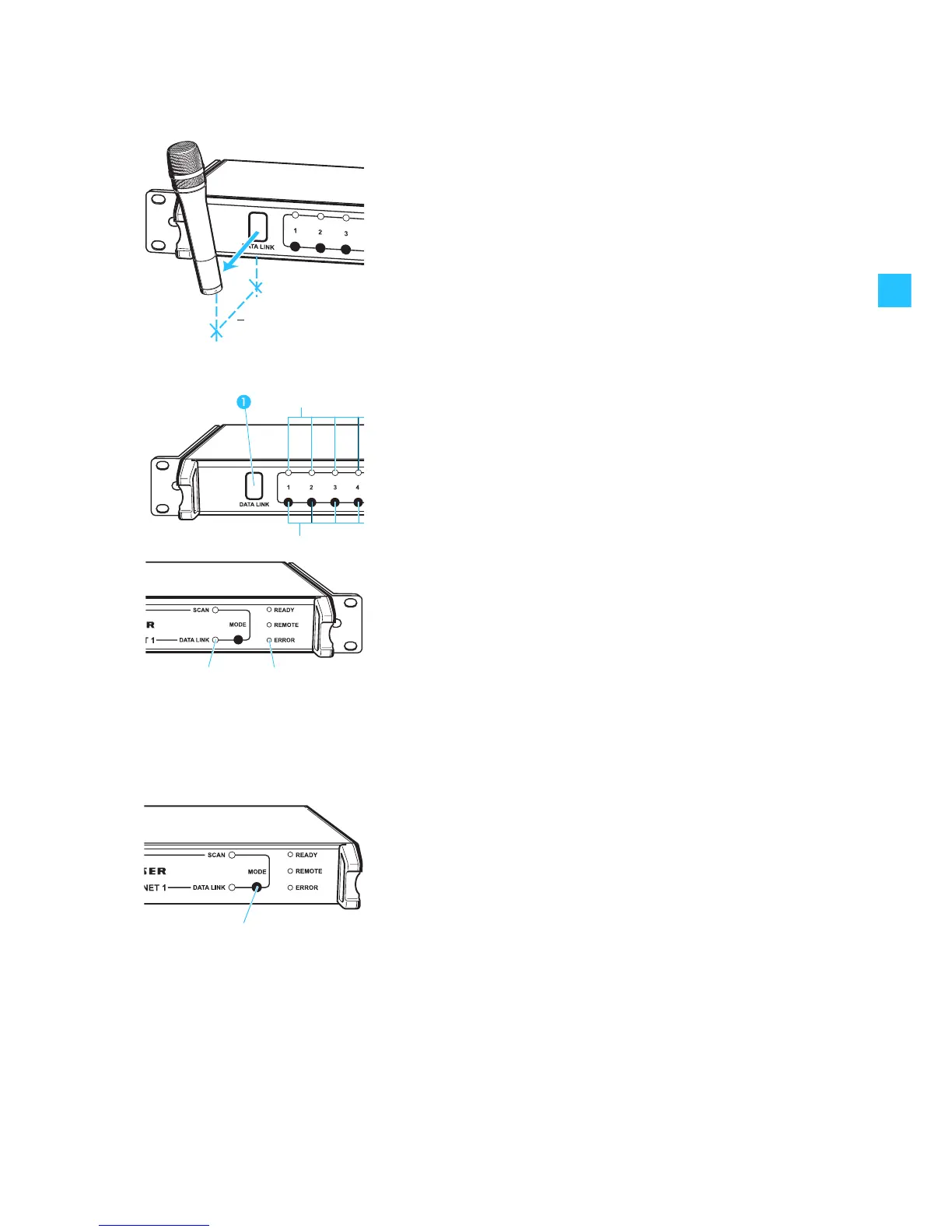
왘 Place the transmitter in front of the infrared interface . The distance
between the infrared interface of the NET 1 and the infrared interface of
the transmitter must not exceed 10 cm.
Note:
You can interrupt the process by pressing the channel button
corresponding to the receiver.
If the frequency transfer to a portable transmitter was unsuccessful, the
“ERROR” LED flashes rapidly for approx. 3 seconds:
왘 Reposition the portable transmitter in front of the infrared interface
or
왘 select another transmitter from the matching frequency range and place
this transmitter in front of the infrared interface.
When all the frequencies have been successfully transferred to the
transmitters, the yellow “DATA LINK” LED lights up permanently.
왘 If necessary, repeat the above steps for the next frequency range.
Transferring frequencies to portable transmitters without a prior frequency
scan
With the NET 1, you can also transfer the set receiving frequency of a
connected rack-mount receiver to the corresponding transmitter without
having performed a frequency scan. To do so, proceed as described in the
section “Transferring frequencies to the transmitters without a frequency
scan” on page 24.
Cancelling the frequency scan on the NET 1
왘 Press the MODE button .
The frequency scan is cancelled. All receivers maintain their receiving
frequency.
Cancelling the frequency transfer
왘 Press the MODE button .
The frequency transfer is completely cancelled. All transmitters whose
frequencies have not yet been changed maintain their transmission
frequency.
10 cm
<


 To Next Page