E - 23
DISPLAY FUNCTION (DVD)
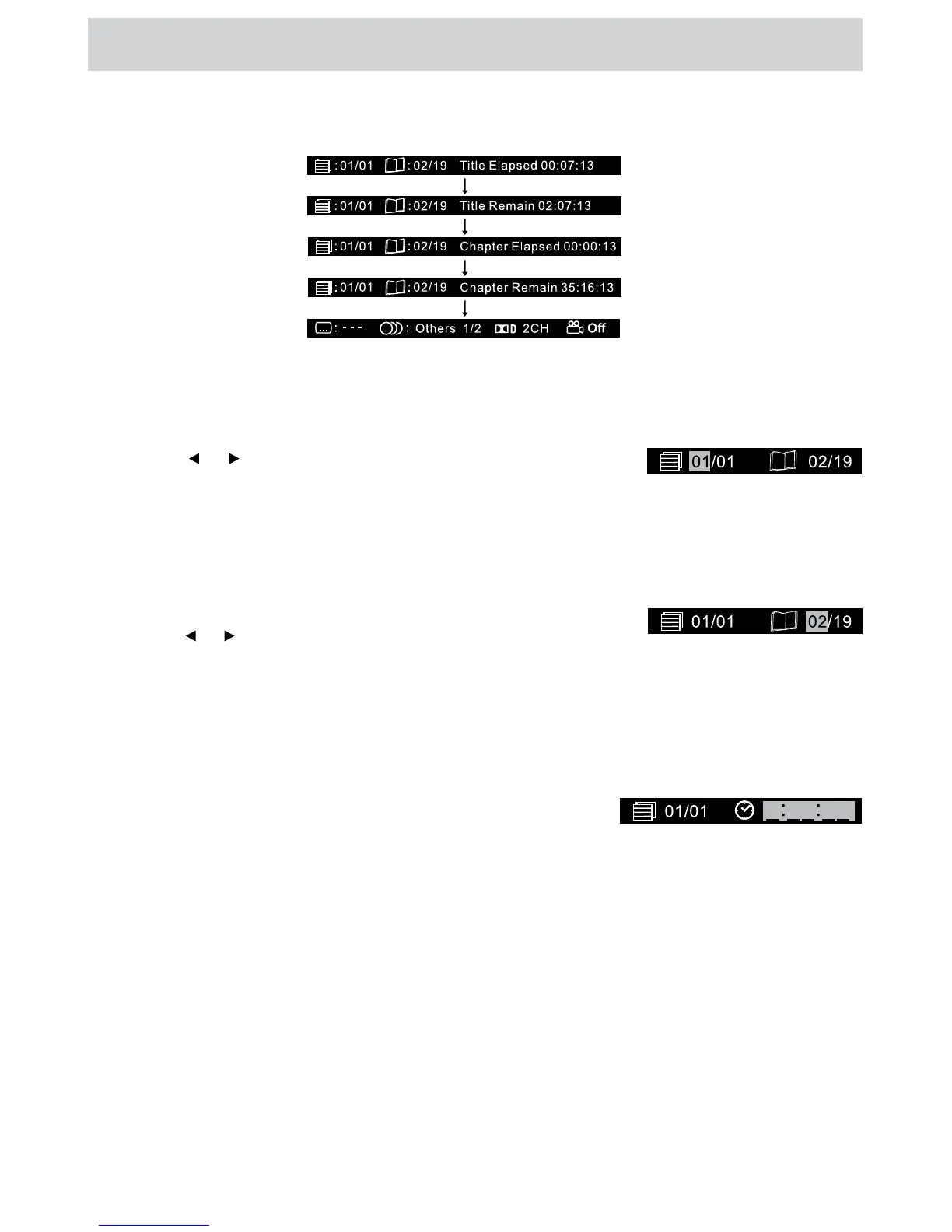
While the disc is playing, press the DISPLAY button repeatedly to display information on operation status:
SPECIAL FUNCTIONS
LOCATING A SPECIFIC CHAPTER / TRACK
If you know the chapter / track number you want to play, you can locate a specic chapter / track by directly
selecting a chapter / track number.
1. Press the GOTO button to search for your desired chapter / track.
2. Press the
or button to highlight a chapter / track then press the
corresponding number button(s) for the chapter /track you want.
3. Press the ENTER button to conrm. Playback starts from the selected chapter / track.
LOCATING A SPECIFIC TITLE (DVD)
If a DVD contains title numbers, you can locate a specic title by directly selecting a title number.
1. In stop mode, press the GOTO button.
2. Press the
or button to highlight a specic eld and press the
corresponding number button(s) for the title you want.
3. Press the ENTER button to conrm. Playback starts from the selected title.
LOCATING A SPECIFIC TIME
You can move to a specic location by entering its corresponding time (hours, minutes, seconds)
1. Press the GOTO button.
2. Press the GOTO button again, a screen shown as right will be
displayed on the screen. Enter the corresponding number buttons
for the setting point you want.
3. Press the ENTER button to conrm. Playback starts from the selected location.
NOTE
• Some discs may not respond to this process.
• Some scenes may not be located as precisely as specied.
• This method for accessing specic locations is available only within the current title of the DVD.


 To Next Page