IoT into the Wild
18
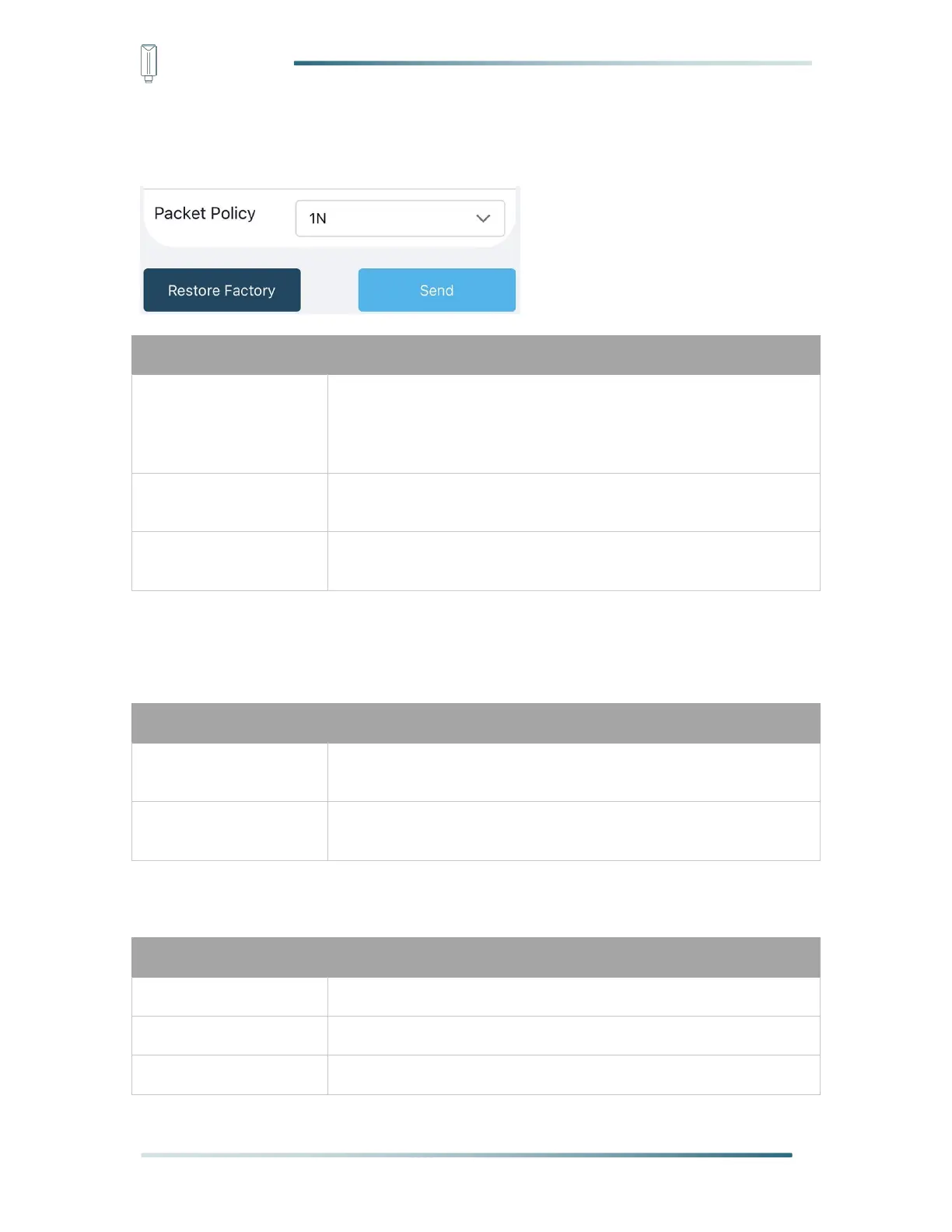
5.3.4 Set the Packet Policy
The sensor uplink packet strategy has three modes.
2C+1N (2 confirm packets and 1 none-confirm) is the best
strategy, the mode can minimize the packet loss rate, however
the device will consume the most data packet in TTN, or date
credits in Helium network.
1C (1 confirm) the device will sleep after get 1 received confirm
packet from server.
1N (1 none-confirm) the device only send packet and then start to
sleep, no matter the server received the data or not.
5.3.5 Set the Activation Type
The sensor supports two network access modes, OTAA by default.
Over The Air Activation, it joins the network through Device EUI,
App EUI, and App Key.
Activation By Personalization, it joins the network through
DevAddr, NwkSkey, and AppSkey.
When using ABP mode, you need to configure the following information:
32, hexadecimal from 0 ~ F
32, hexadecimal from 0 ~ F
8, hexadecimal from 0 ~ F



 To Next Page