IoT into the Wild
10
5.2 How to connect sensor to App
5.2.1 Create a New Account
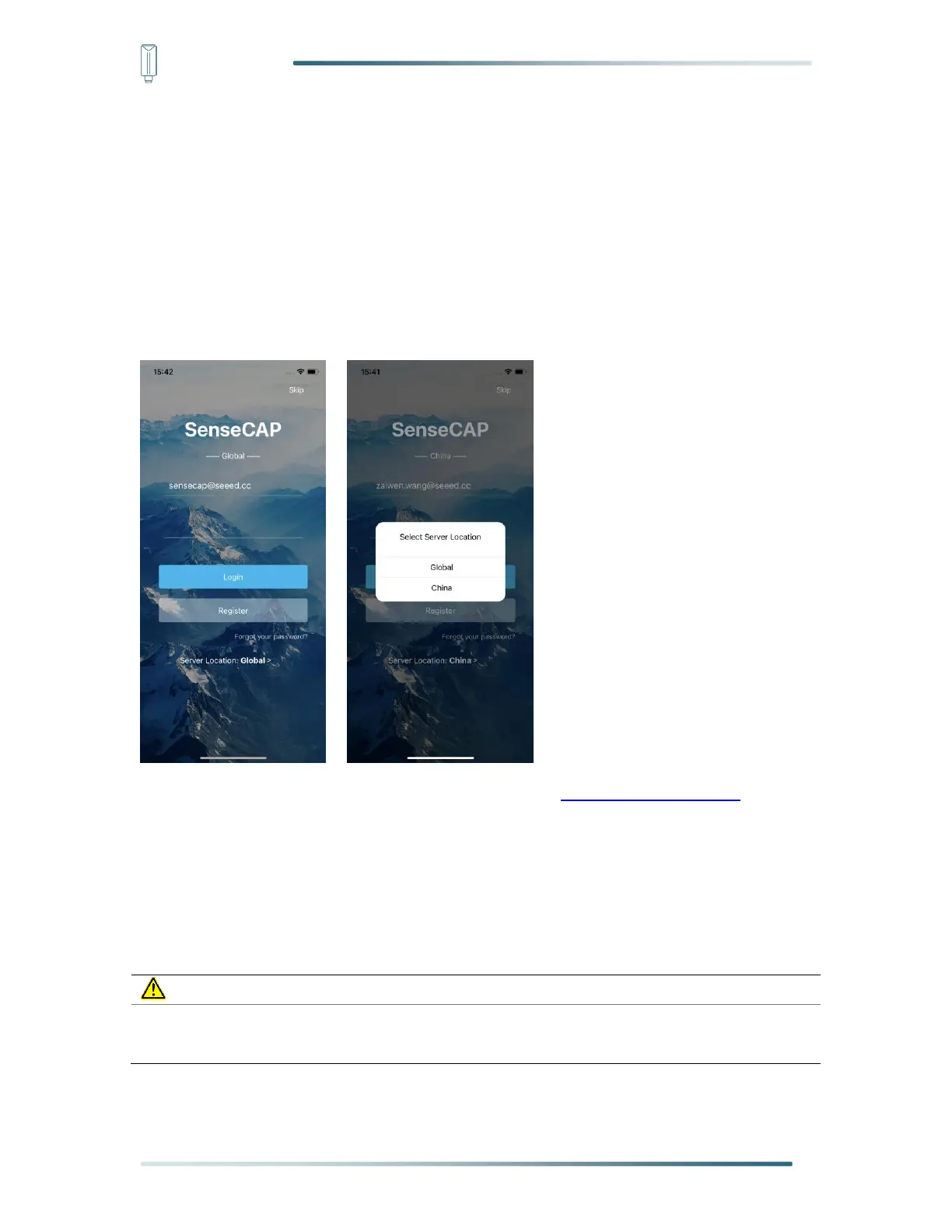
SenseCAP Mate supports device configuration and remote management. To use the
SenseCAP Portal platform and other functions, please register an account.
SenseCAP Mate supports offline functionality, and you can opt out of an account if you only
use the configuration sensor. Just click Skip.
Please select Global of Server Location.
You can also create an account via the SenseCAP Portal: http://sensecap.seeed.cc
1) Select register account, enter email information and click "register", the registered email
will be sent to the user's mailbox.
2) Open the "SenseCAP…"Email, click the jump link, fill in the relevant information, and
complete the registration.
3) Return to the login interface and complete the login.


 To Next Page