IoT into the Wild
47
11.2 Installing Sensor
11.2.1 Installing the Sensor Bracket
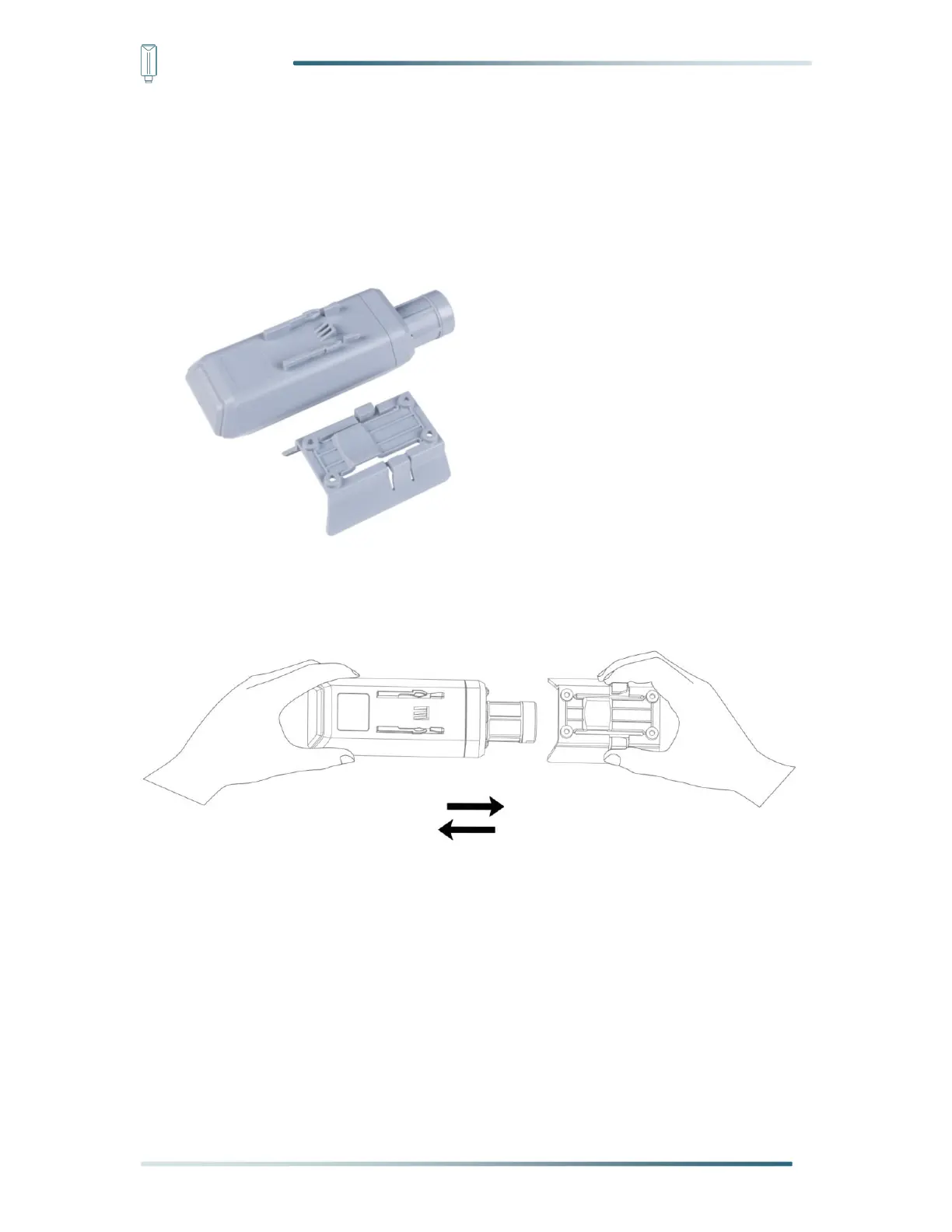
Specially designed for installing SenseCAP Sensors, the bracket is a sliding cap. With
designated screw-holes, the bracket helps fasten the Sensor Node firmly onto a pole or a wall.
1) With the sensor in one hand and a bracket in the other, find an unobstructed direction
along the back of the sensor.
2) One hand holds the clasp while the other holds the device. Pull outward with opposite
force. Press the upper part of the buckle with your finger.


 To Next Page