EasyManua.ls Logo

SENSECAP S210X - Get Device EUI, App EUI and Key; Get the Parameters Via API

SENSECAP S210X
54 pages
Print Icon
To Next Page IconTo Next Page
To Previous Page IconTo Previous Page
Loading...
IoT into the Wild
7
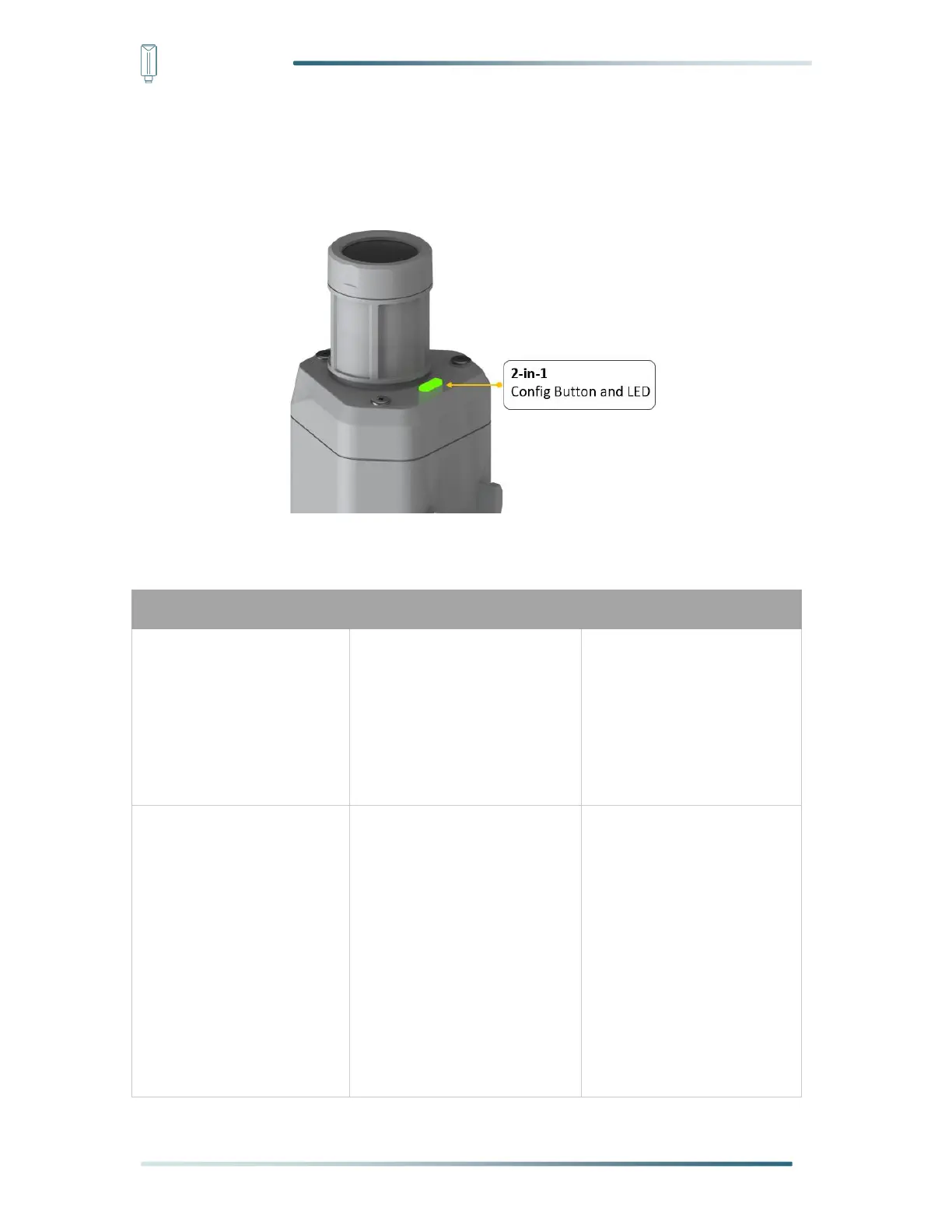
4. LED of Sensor Working Status
You can refer to the LED indicator for the Sensor Node for its working status. Please see the
status explanations in the chart below:
Actions
Green LED Status
First power up, press and
hold for 3s
Power on and activate the
Bluetooth
LED flashes at 1s
frequency, waiting for
Bluetooth connection.
If Bluetooth not connected
within 1 minute, the
machine would shut down
again.
Press once
Reboot device and join LoRa
network
1. The LED will be on for 5
seconds for initialization
2. Waiting for join LoRa
network: breathing light
flashing
3. Join LoRa network
success: LED flashes
fast for 2s
4. LoRa network join
failure: LED suddenly
stop.

Table of Contents

Related product manuals