IoT into the Wild
11
5.2.2 Connect to Sensor to App
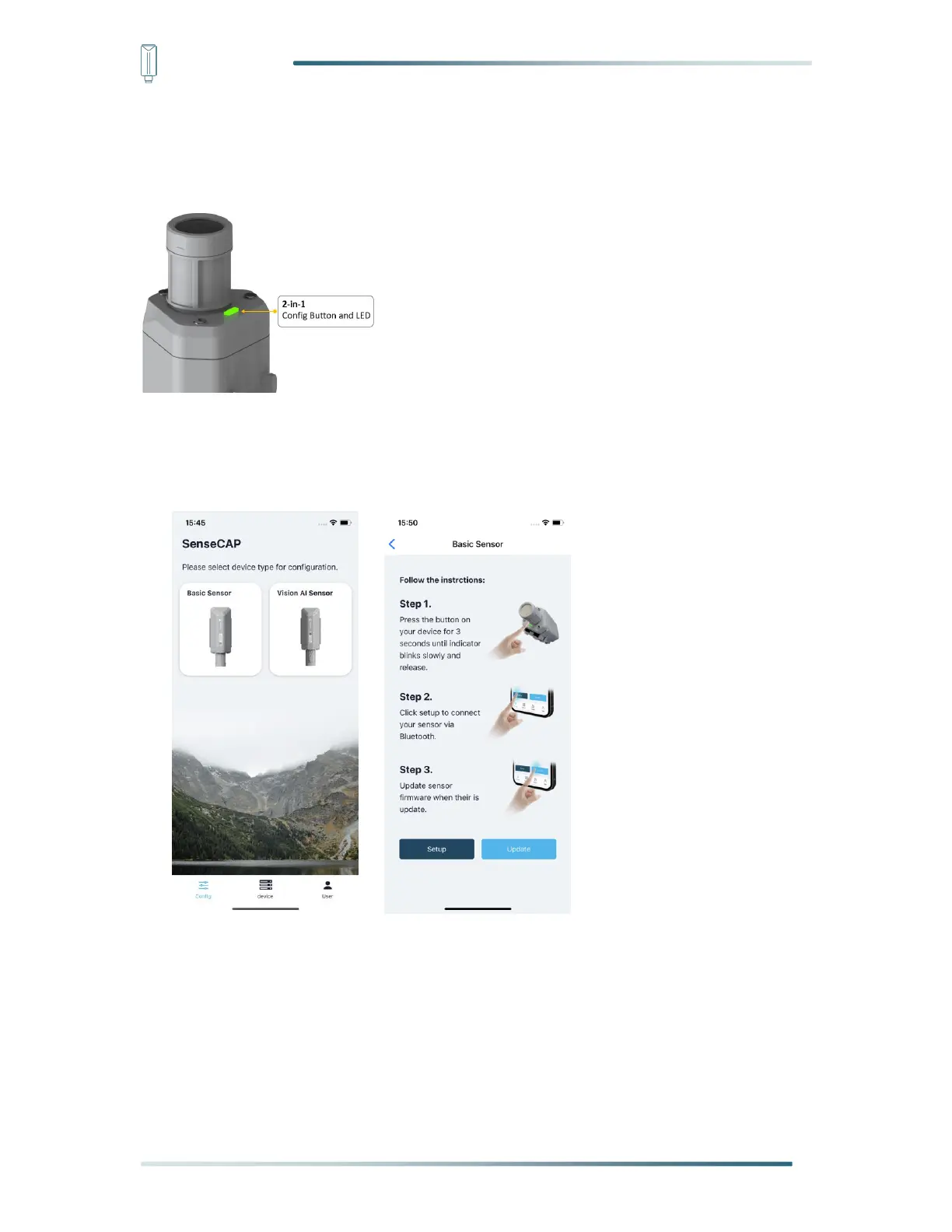
1) Press button and hold for 3 seconds, the LED will flash at 1s frequency. Please use the
App to connect the sensor within 1 minute; otherwise, the device will power off or reboot.
2) Please select “S210X Sensor”, it includes S210X series products.
Please click the “Setup” button to turn on Bluetooth and click “Scan” to start scanning the
sensor's Bluetooth.
3) Select the Sensor by S/N (S/N is on the front label of the sensor). Then, the basic
information of the sensor will be displayed after entering.


 To Next Page