IoT into the Wild
17
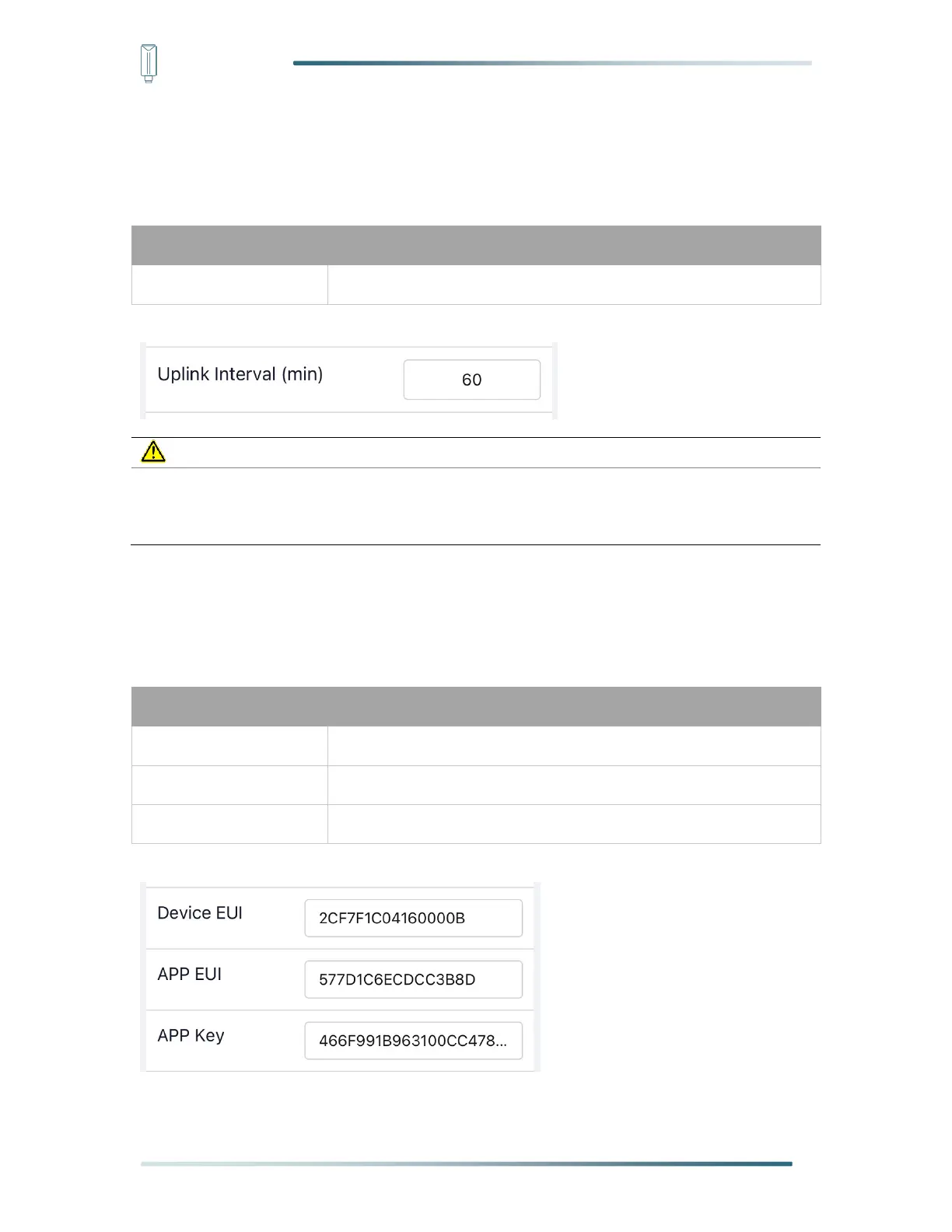
5.3.2 Set the Interval
The working mode of device: wake up the device every interval and collect measurement
values and upload them through LoRa. For example, the device collects and uploads data
every 60 minutes by default.
Unit: minutes, number from 1 to 1440.
The SenseCAP portal has a limit on uplink interval: minimum interval is 5 minutes.
The interval using the other platforms ranges from 1 to 1440 minutes.
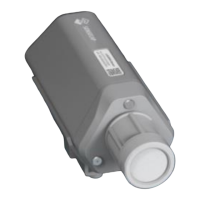
5.3.3 Set the EUI and Key
The device uses OTAA to join the LoRaWAN network by default. So, it can set the device
EUI and App EUI.
16 bits, hexadecimal from 0 ~ F
16 bits, hexadecimal from 0 ~ F
32 bits, hexadecimal from 0 ~ F


 To Next Page