Calibration is carried out in 2 steps:
- 1° display configuration
- 2° threshold configuration
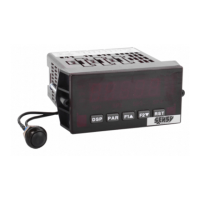
The CRANE BOY programming menu can be accessed via the PAR key. This is organised into function
modules (menus) that group together the parameters associated with each function.
To guarantee that the starting load limitation is correctly followed, the calibration sheet must be duly
completed, dated and signed. Resetting the display is not authorised in any circumstance.
2.2.1. 1° Configuring the display and commissioning the limiter
To configure the display, you must have a known load of at least 70% of the capacity of the transducer’s
Wheatstone bridge or its overload capacity.
Turn the system “on” approximately 15 minutes before starting any adjustment.
If possible, load the system several times to stabilise it mechanically.
Enter menu 1 -INP (using SENSY access code = “7”) and carry out the following operations, using the PAR
key to move on to the next parameter:
SCALING STYLE
Select “APPLY” and remove all loads from the crane (in
apply mode, the CRANE-BOY measures the signal of the
load cell).
DISPLAY VALUE 1
Set to “0”, the value to display when the crane is without
a load (unloaded) by using the F1 and F2 keys and
validate with the PAR key.
DISPLAY VALUE 2
Set to the value to display for the known load and
validate with the PAR key (quit programming mode and
return to display mode)


 To Next Page