CHECK: Power level, power connections
CHECK: Active (lock-out) user input
ENTER: Security access code requested
CHECK: Module 3 programming
INCORRECT INPUT DISPLAY VALUE
CHECK: Module 1 programming, position of the jumper for the input scale, input
connections, input signal level, Module 4 Display Offset is zero, DSP is on Input
Display
PERFORM: Calibration (If the above does not correct the problem.)
“OLOL” in DISPLAY (SIGNAL LOW)
CHECK: Module 1 programming, input connections, position of the jumper for the
input scale, input signal level
“ULUL” in DISPLAY (SIGNAL HIGH)
CHECK: Module 1 programming, input connections, position of the jumper for the
input scale, input signal level
INCREASE: Module 1 filtering, rounding, input scale
CHECK: Wiring is per EMC installation guidelines
MODULES or PARAMETERS NOT ACCESSIBLE
CHECK: Corresponding plug-in card installation
ERROR CODE (Err –n)
Err -1
Err-2
Err-3
Err-4
Err-5
PRESS: RST
Internal hardware fault: A fault of the microprocessor and/or the input circuit has been
detected. Return the CRANE-BOY for repair.
Parameter list memory fault: One or more of set-up parameters has changed value
due to possible electrical glitch or loss of power during parameter save operation.
(during “End” display) Verify all set-up parameters, exit parameter set-up mode and
cycle power the meter to clear error. If the error remains, return meter for repair.
Calibration memory fault: Verify calibration accuracy of meter. If out of tolerance, re-
calibrate the meter. Otherwise, to clear error, enter and exit parameter set-up mode
and cycle power to meter. If the error remains, return meter for repair.
Analogue output calibration memory fault: Verify calibration accuracy of analogue
output. To clear error, enter and exit parameter set-up mode and cycle power to
meter. If the error remains, replace output card.
Defective keypad: The meter has detected one of the keypad switches is defective.
Inspect keypad for signs of damage or sticking. Cycle power to meter to clear error. If
the error remains, return meter for repair.
For more information, contact SENSY’s helpdesk.
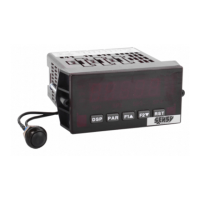
4. EQUIPMENT REFERENCE AND OPTIONS
Supply voltage - 85 to 250VAC Ref.: CRANE-BOY
- 48 VAC Ref.: CRANE-BOY+ option ALIM-48VAC
- 24 VAC Ref.: CRANE-BOY24
- 10 to 30VDC Ref.: CRANE-BOY24
Supply voltage - 85 to 250VAC (OEM) Ref.: DISP-BOY
- 48 VAC (OEM) Ref.: DISP-BOY+ option ALIM-48VAC
- 24 VAC (OEM) Ref.: DISP-BOY24
- 10 to 30VDC (OEM) Ref.: DISP-BOY24


 To Next Page