Checking a SenTec TC Sensor
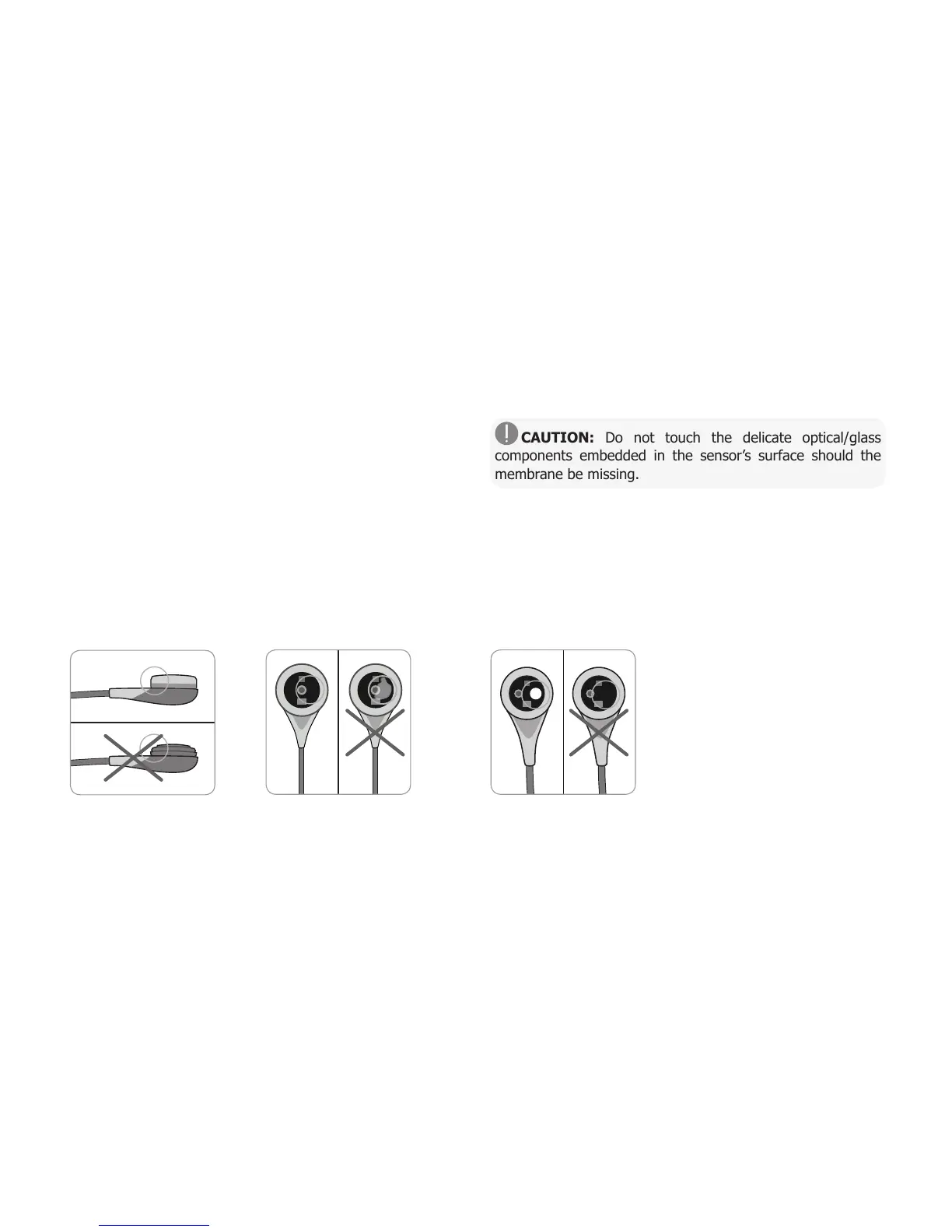
Check the condition of the sensor membrane and the integrity
of the sensor before and after each use and after changing the
membrane (p. 17)!
Ensure that the sensor is clean before visually checking it. If
necessary, carefully wipe off any residue from the sensor’s
surface (including membrane, housing and cable) with 70%
isopropanol or another approved cleaning agent (refer to
sensor’s Directions for Use).
a) Change the sensor membrane if it is damaged or missing,
has a loose fit, or if there is trapped air or dry electrolyte under
the membrane.
Page 15
.
Sensor Check, Sensor Calibration/Storage and Membrane Change
CAUTION: Do not touch the delicate optical/glass
components embedded in the sensor’s surface should the
membrane be missing.
b) Do not use the sensor if there is any visible damage to
the sensor housing or cable, if the color of the ring around the
glass electrode has a metallic luster (should be brown), or if the
sensor’s red LED does not light when the sensor is connected
to the SDM. Instead, contact qualified service personnel or
your local SenTec representative regarding continued use or
replacement of the sensor.
c) When operating with an OxiVenT™
Sensor, do not use the sensor if
the off-centered, white, round spot
on the sensor surface is missing
or is not illuminated in green-cyan
color when the OxiVenT™ Sensor is
connected to the SDM with enabled
PO
2
measurement function.
Sensor Check, Sensor Calibration/Storage and Membrane
Change



 To Next Page