Page 35
.
Patient Monitoring with the SDMS
If the sensor is stabilized on the skin, the RHP-reference value
can be set either a) by using the respective function in the
‘Quick Access Menu’ that activates after pressing the Enter
Button when a measurement screen is active or b) by chang-
ing the menu-parameter ‘Heating Power Mode’ from ‘Relative’
to ‘Absolute’ or ‘OFF’ and back to ‘Relative’.
To clear/reset the RHP-reference value, either remove the sen-
sor from the patient and insert it into the Docking Station or
set the menu-parameter ‘Relative Heating Mode’ to ‘OFF’.
‘V-Check™ Mode’
In standard configuration, the SDM’s numeric values and
online trends provide continuous monitoring of the enabled
parameters. If the menu-parameter ‘V-Check™ Mode’ is set
to ON (only selectable if enabled by the institution), the SDM
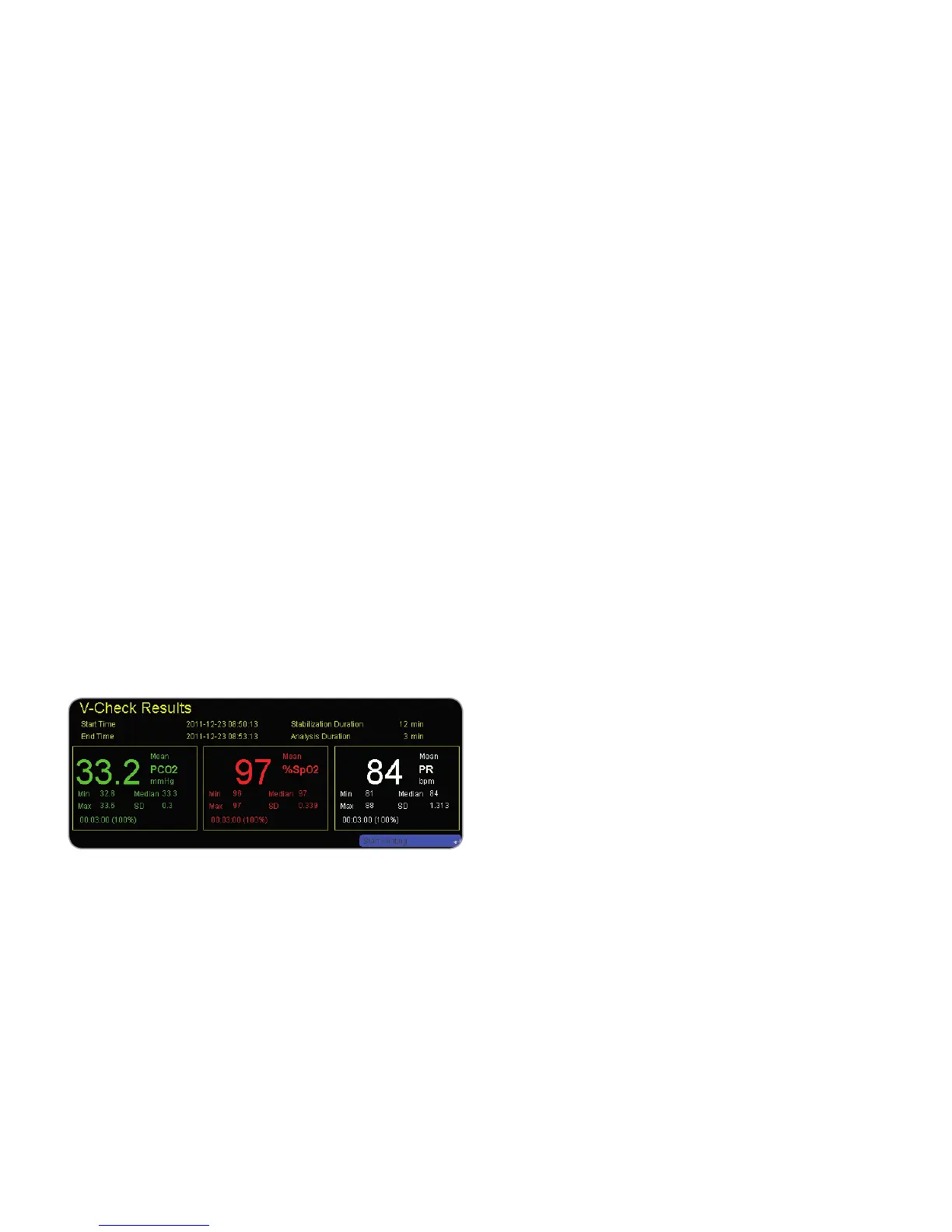
provides a Ventilation Spot Check with a statistical result
screen displaying mean, minimum, maximum, median and
standard deviation for the enabled parameters.
A V-Check™ Measurement consists of the V-Check™ Stabili-
zation Phase (default duration 8 minutes) and the V-Check™
Measurement Phase (default duration 2 minutes). If the
V-Check™ Measurement is finished two short signal tones
sound and the V-Check™ Results Screen activates, displaying
the above mentioned statistical results for the data assessed
during the V-Check™ Measurement Phase. The V-Check™ Re-
sults Screen remains displayed until the Menu or Display But-
ton are pressed or another V-Check™ Measurement is started.
Note: The ‘V-Check™ Mode Indicator’ appears on the ‘Ready
for use’ and ‘Calibration’ screen (p. 22) if the V-Check™
Mode is ON. On measurement screens (p. 31), the V-Check™
Down-Counter (format hh:mm:ss) is displayed on the very right
of the Status Bar (p. 48). This down-counter indicates the
duration of the V-Check™ Measurement if the V-Check™ Mea-
surement has not yet been started, the remaining time to fin-
ish the V-Check™ Measurement during an ongoing V-Check™
Measurement, and 00:00:00 once the V-Check™ Measurement
is finished. If the SDMS is not ready for use, it indicates --:--:--.
Note: Print-out of the trend curves (including the statistical
results) is automatically activated upon completion the
V-Check™ Measurement if the protocol ‘Serial Printer’ is
selected and a printer is connected to the SDM.
Note: The SDM automatically stores V-Check™ Events in its
internal memory at the start and at the end of each V-Check™
Measurement Phase. After trend data download to V-STATS™
the start and end of a V-Check™ Measurement Phase are
visualized by two colored triangles and it is possible to generate
a report which includes the same information as is provided on
the SDM’s V-Check™ Results Screen.



 To Next Page