12 Original Instructions Sentry Equipment Corp
Batch
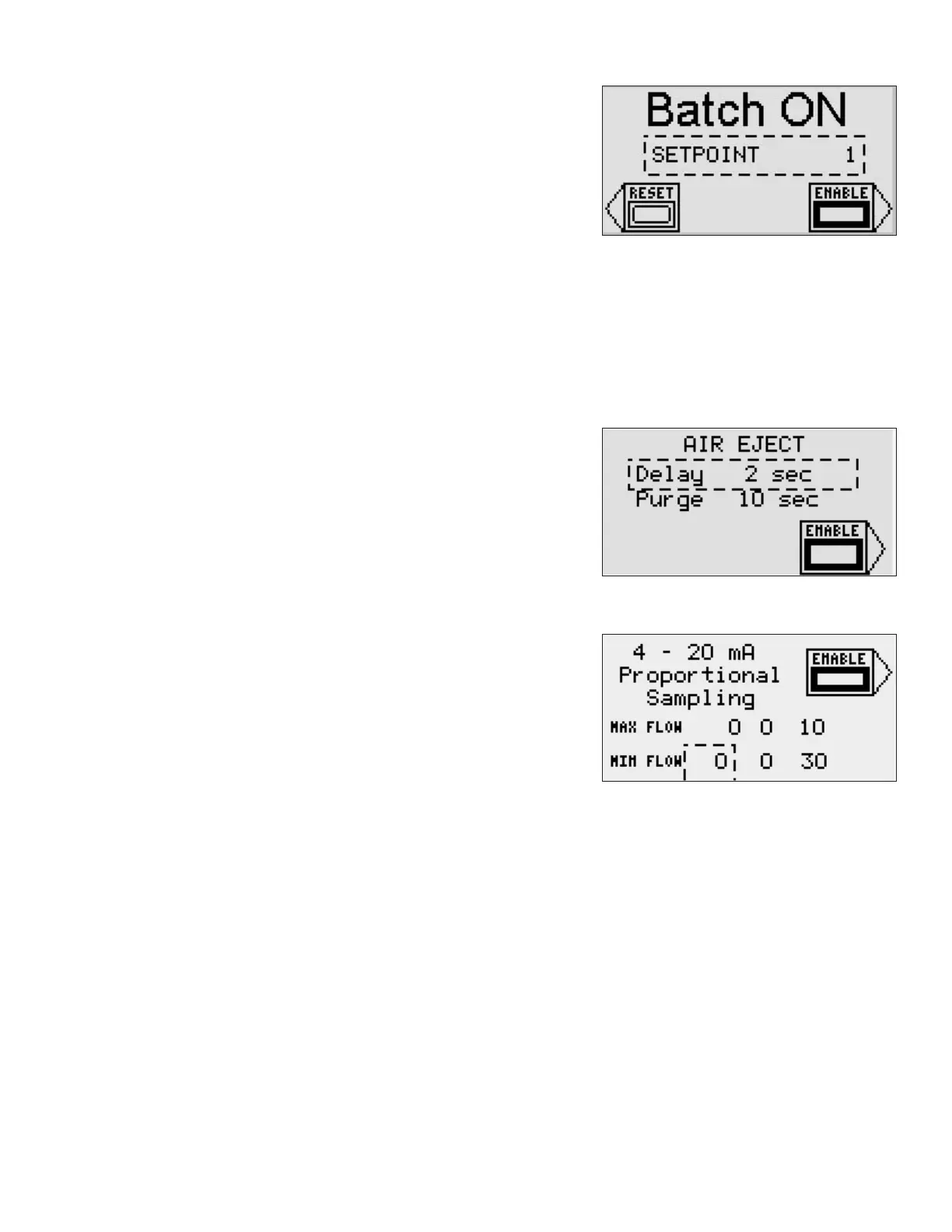
The BATCH option allows the sampler to take a specic number of samples
and then stop. For example, this option could be used to ll a container and
then stop sampling until the container can be replaced.
To enable the BATCH option, press the arrow next to the Enable soft key.
To change the setpoint :
– Press the ENTER key to backlight the value.
– Use the UP and DOWN arrow keys to adjust the value incrementally,
or use the number keys to enter a value.
– When the desired value is displayed, press the ENTER key to accept.
Once a BATCH is complete, sampling will stop. To reset the batch counter, press the arrow next to the RESET soft
key on the above screen or press the OFF key from the Main screen. This action resets the batch counter to zero and
sampling resumes.
Air Eject
This option is available only on specic samplers. Consult with a Sentry sales
representative to see if the air eject option is available for your application.
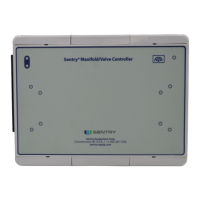
Air eject allows a shot of air to ow through the sampler after the sample
has been taken. After the sample is taken, the delay timer starts. The delay
allows some time for the majority of the sample to evacuate the sampler.
When the delay expires, the purge solenoid is energized allowing air to ow
through the sample chamber, clearing any residual sample.
4-20 mA Flow Proportional Sampling
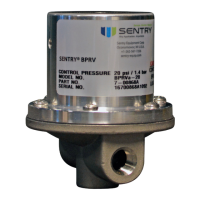
The controller has a ow proportional sampling option. With this option,
a 4-20 mA signal from a ow meter is input into the controller. Setpoints
for the sampling time at maximum ow and minimum ow are entered.
These setpoints are used to calculate the PARK timer value. The EXTEND and
RETRACT times are still based on the operator entered setpoints. Based on
the analog input from the ow meter, a sampling rate is determined. This
value is a linear interpolation between the minimum and maximum ow
setpoints entered.
This option is enabled by pressing the arrow next to the ENABLE soft key. The minimum and maximum ow setpoints
are entered using the ENTER, UP and DOWN arrow keys, and ESC key as detailed in the setpoint section of this manual.
A dashed box appears around the active selection. The RIGHT and LEFT arrow keys can be used to move between elds.
For example:
The operator sets the max ow time to 10 seconds and the min ow time to 30 seconds. He enables the option by
pressing the soft key. The controller is placed in AUTO using the selector switch. The ow input signal is at 12 mA,
about half of full scale. The controller calculates the park time to be 20 seconds. The sampler will extend and retract
at the set values. It will Park for 20 seconds and then start the cycle over again. If the ow input changes to 4.1 mA,
the extend and retract values stay the same, but the park value is adjusted to 30 seconds. If the input falls below
4.0 mA, timer operation is suspended. As soon as the input goes above 4.0 mA, the timing will resume, picking up
where it left o.


 To Next Page