Sentry SBC Controller Original Instructions 13
Flow Counter
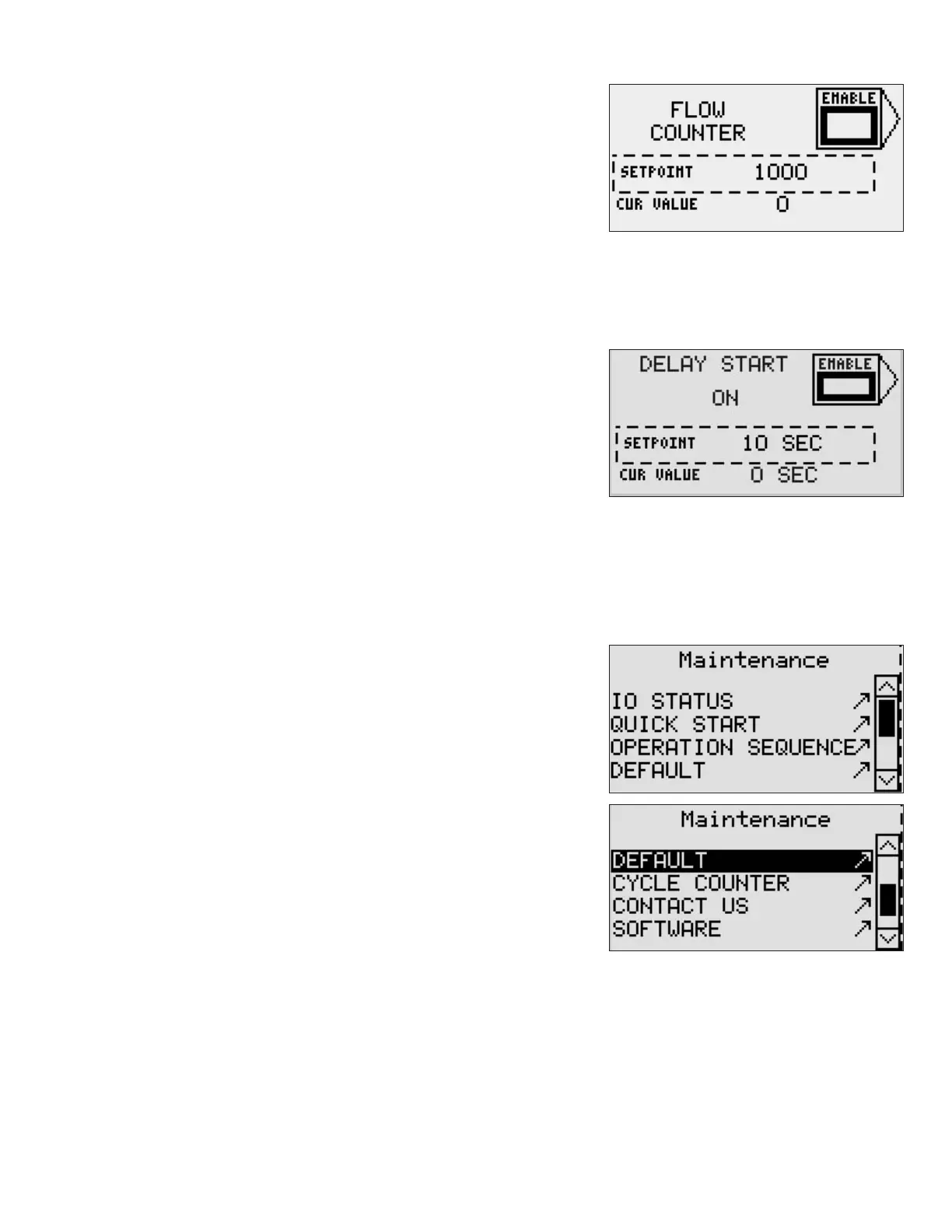
The controller will accept a square wave input from a ow counter
and sample after X number of pulses. X is determined by the ow
counter setpoint. The square wave must have an ON time of at least 200
microseconds for the controller to recognize the input.
The Flow Counter option is enabled using the Enable soft key. Setpoint
value is entered using the ENTER, UP and DOWN arrow keys, and ESC key, as
detailed in the Setpoint section.
This option is no longer a time based sampling cycle. The time between samples is determined by the number of
counts from the ow counter input. Extend and Retract times are based on operator setpoints.
Delay Start
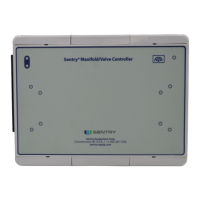
The controller will accept a dry contact input from a plant device, such as
a pump. If the Delay Start function is selected, sampling will wait until the
contact is closed. Then after the time delay entered has expired, sampling
will start.
This feature is useful if you have a pump that cycles o and on. You only
want to sample when the pump is on and at full ow. Connect the dry
contact, enter the desired time delay, place the controller in AUTO and
sampling will take place only when the pump conditions are met.
The Delay Start option is enabled using the Enable soft key. Setpoint value is entered using the ENTER, UP and DOWN
arrow keys, and ESC key, as detailed in the Setpoint section.
Maintenance Functions
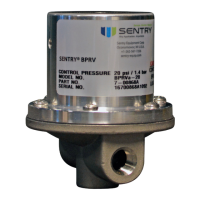
The Maintenance menu provides access to various information options for
your controller.
Press the SERVICE key on the controller to view the Maintenance menu.
Use the small arrow keys to navigate to the desired option, and then
press the Enter key to select the menu item.
Press the ESC key to return to the Maintenance menu.


 To Next Page