Sentry SBC Controller Original Instructions 11
Grab Sample
Press the GRAB key to take a single manual sample, also known as a grab sample.
A grab sample can be taken any time the sampler is not actively sampling. The current state of the sampler is
displayed on the main screen.
When the grab sample is complete, the cycle timer resumes counting from the point at which it was interrupted.
Controller Options
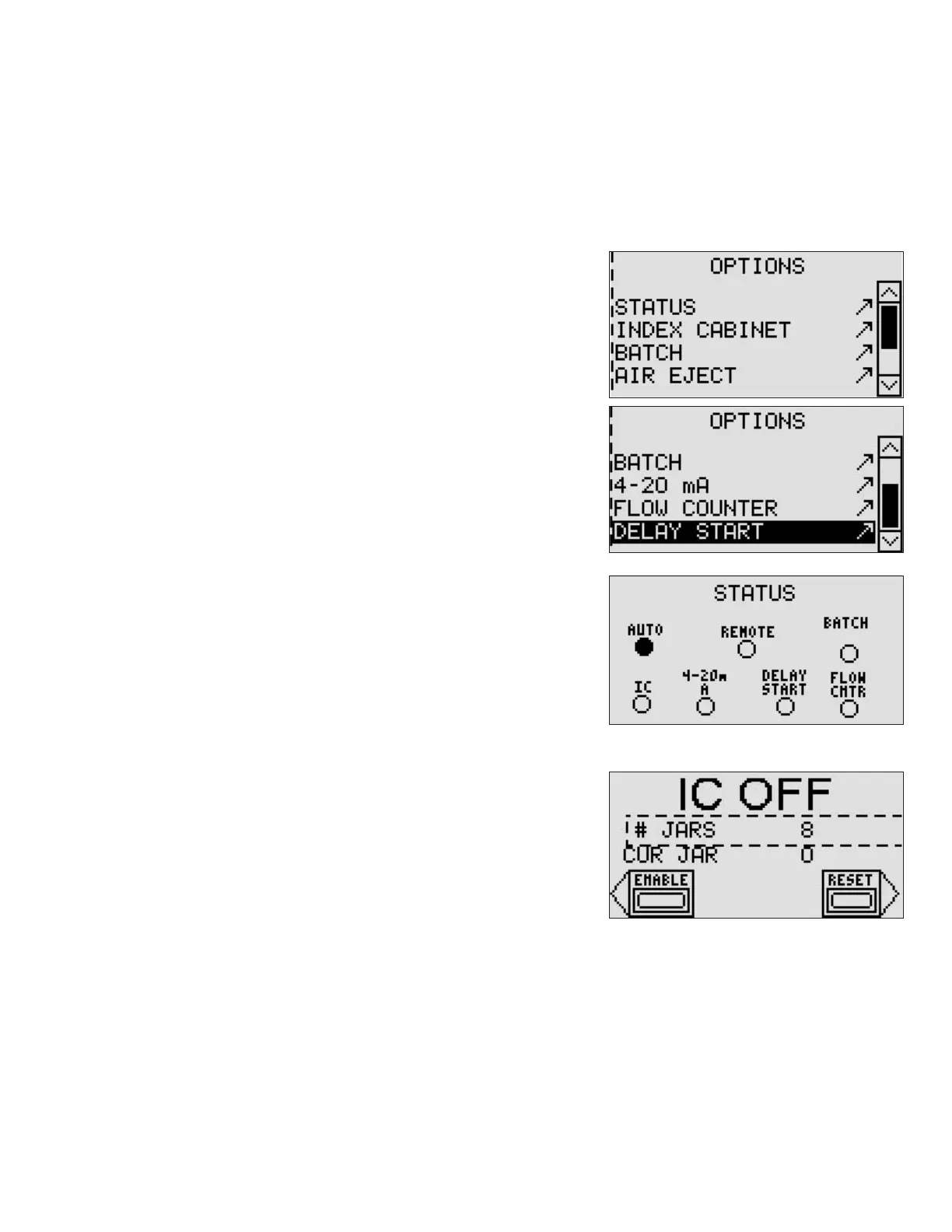
The Options menu lists all of the options available based on your sampler
model.
Press the OPTION key on the controller to view the Options menu.
Use the small arrow keys to navigate to the desired option, and then
press the Enter key to select the menu item.
Press the ESC key to return to the Options menu.
Status
The STATUS screen is for information only. A lled indicator designates an
option that is currently selected for operation of the controller.
Index Cabinet
The Indexing Cabinet screen displays the current status of the indexing
cabinet (IC) and allows the operator to enable use of the IC, set the number
of jars in the cabinet, and reset the jar counter.
Enable Use of the Indexing Cabinet
– To enable the IC software, press the lower soft key to the left of the
screen.
– The screen changes from “IC OFF” to “IC ON.”
Number of Jars
– The number of jars displayed (# Jars) is equal to the physical number of jars used in the Indexing Cabinet.
– Cur Jar indicates which jar is currently in use.
Reset the Jar Counter
– When all of the jars in the indexing cabinet are full, replace them with empty jars.
– Reset the jar counter by pressing the lower soft key to the right of the screen.



 To Next Page