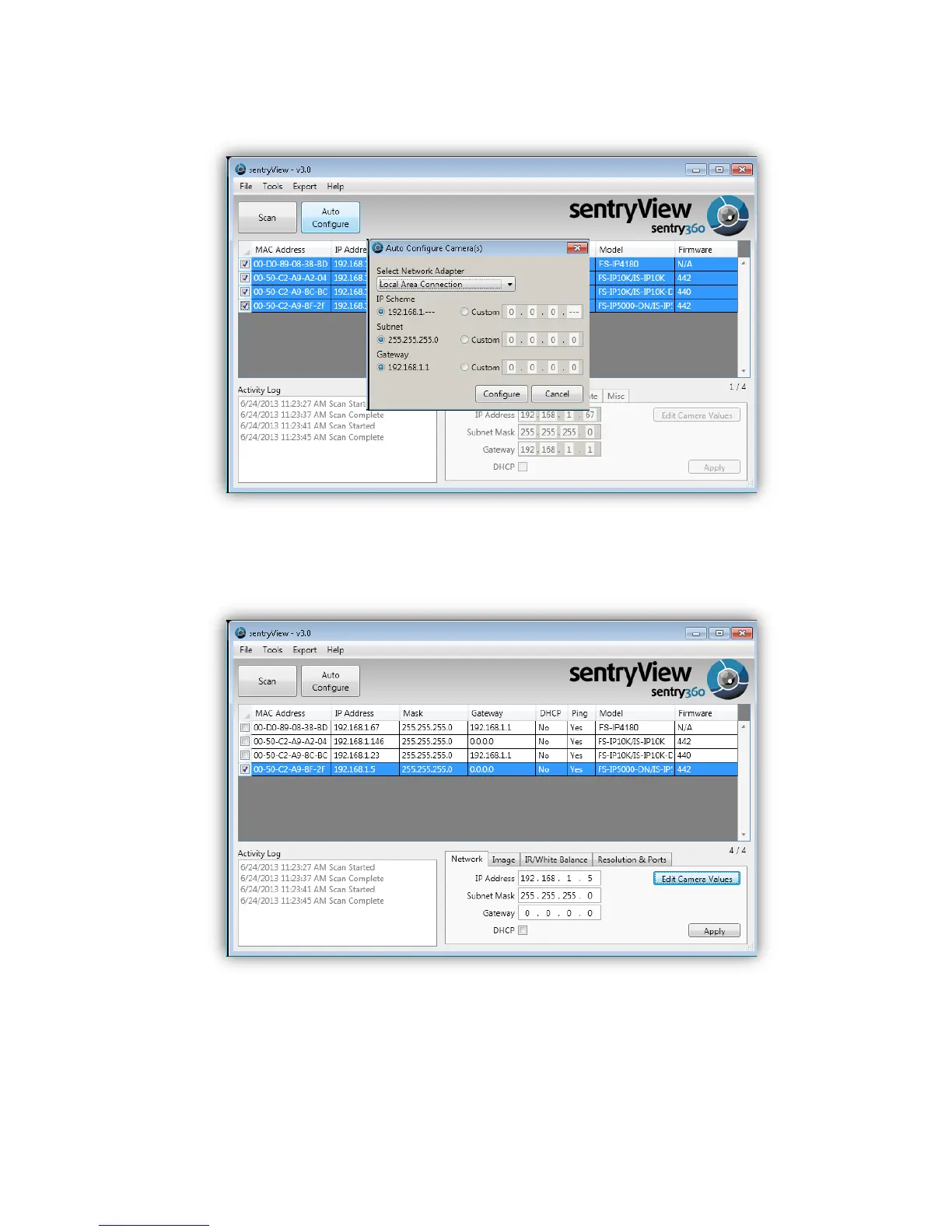
Step 5. Confirm your network settings and click Configure.
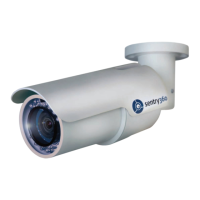
Step 6. To manually configure your cameras, click Edit Camera Values at the bottom right,
enter your IP Address, Subnet Mask, Gateway, and DHCP settings. Click Apply to
save these values.
Step 7. Your cameras are now configured. If you are using sentryCore™ as your Video
Management System, please download the latest version here:
http://sentry360.com/product/sentrycore/
Step 8. Right click on a camera and select Browse. The prompt for entering the default
username and password will appear for logging in to the IS-DM260.


 To Next Page