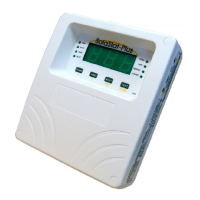
SolaStat™-1-3 Installation Guide
Version 1.1 – April 2013 Page 28
TROUBLE SHOOTING GUIDE
Symptom Cause Solution
No operation, no
display and no lights
(No Power Light)
No power/fault
Check mains outlet.
Check fuses.
POWER light ON but
no display or
corrupted display.
Power brown out (mains power not
running at full voltage)
Unit faulty
Switch off power while mains
power is in brown out condition.
Switch off power for 10 minutes,
switch on power and see if unit is
operating. If not, unit needs repair.
Contact your supplier.
Display on, pump not
running, but sunny
outside. Pump light
ON
Pump damaged or disconnected.
Pump timer has turned pump off
unplugged
Wait one minute for the pump to
restart.
Pump is running
continuously
Pump is cavitating
Special Installation
Setting is incorrect
Airlock in pipe
If pump sounds like stones are
passing through it, see section
under Plumbing Tips
Long pump times may be normal
for a special installation
Check programming for pump ON
and Pump Off
Check that air relief valves are
correctly installed and operating
Hot water drops
significantly at night,
yet little or no draw off
be user
System is reverse thermo-
siphoning
System is in a high frost area
Tank is losing heat
The non-return valve is not fitted
correctly or is malfunctioning
Discuss non-frost sensitive options
with your energy provider
Install better insulation on hot
water tank
HWC light never
comes on
HWC control is not availab
this model.
Normal operation


 To Next Page