SolaStat™-1-3 Installation Guide
Version 1.1 – April 2013 Page 18
PROGRAMMING THE SOLASTAT™
D
D
e
e
f
f
a
a
u
u
l
l
t
t
S
S
e
e
t
t
t
t
i
i
n
n
g
g
s
s
The SolaStat™ settings have been factory set with the pre-set values
specified in the Programming Table at the end of this manual. These settings
should not require any changes.
Caution: incorrect settings of these values could damage the system or
cause it to run inefficiently, voiding the warranty on the product.
However, the settings can be changed by a qualified installer, using the
instructions in this section. Any changes in settings should be entered in the
Programming table at the end of the SolaStat™ User Manual
Important
Notes
Note that if no keys are pressed for one minute during programming, then the
unit will exit from programming mode, and you will need to re-enter
Programming Mode.
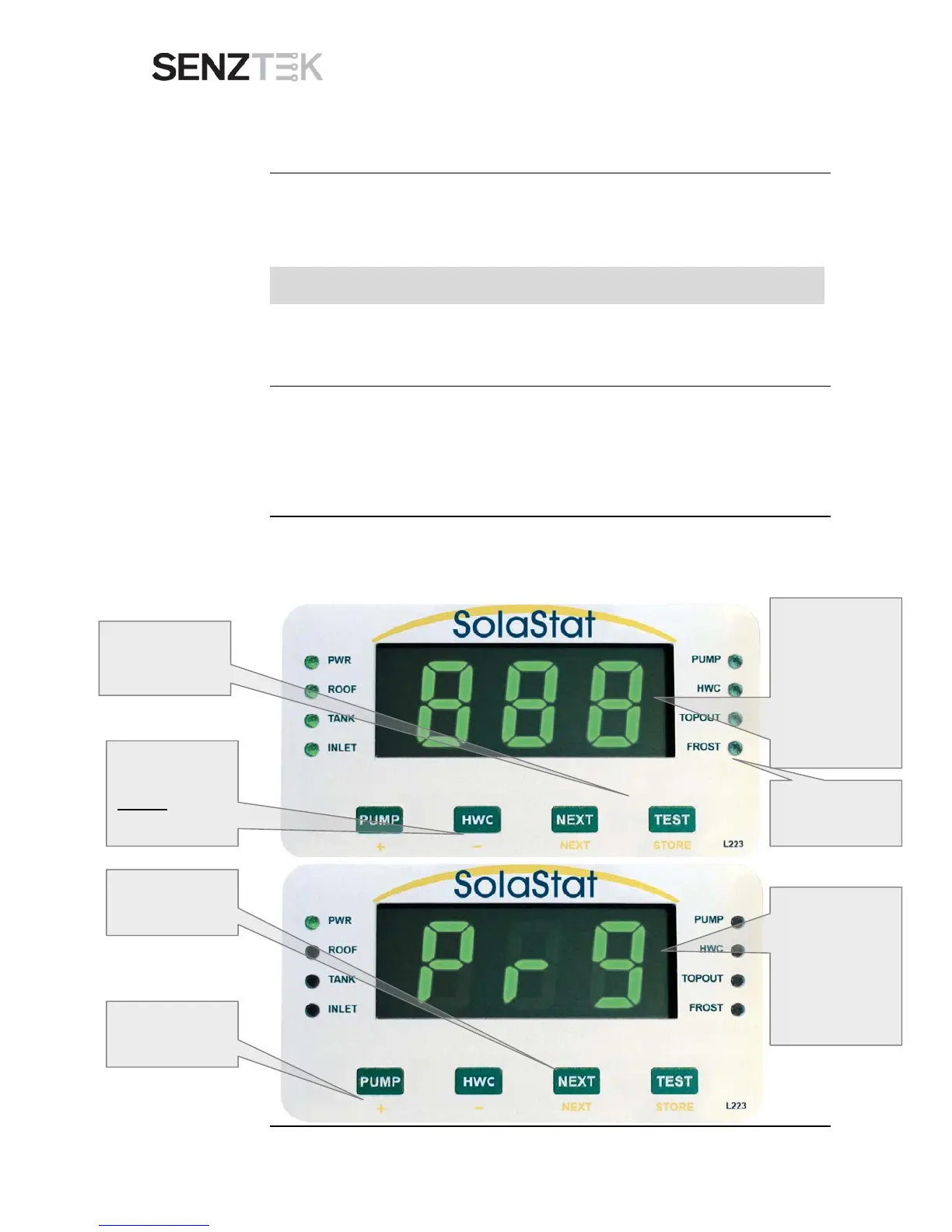
Important: The writing at the bottom of the keys is your programming guide.
Enter Installer
Programming
Mode
To enter Installer Programming Mode, follow the steps shown in the
diagrams below.
Continued on next page
1. Press the
TEST/ STORE


 To Next Page