SolaStat™-1-3 Installation Guide
Version 1.1 – April 2013 Page 19
PROGRAMMING THE SOLASTAT™, CONTINUED
Enter
Adjustable
Values
When you have entered the Installer programming mode, the PUMP light will
be flashing. The unit is now ready to accept the PUMP OFF Value entry, and
subsequent values.
After each key press, you have one minute to press another key before the
unit times out. Remember that while you are in Installer Programming Mode,
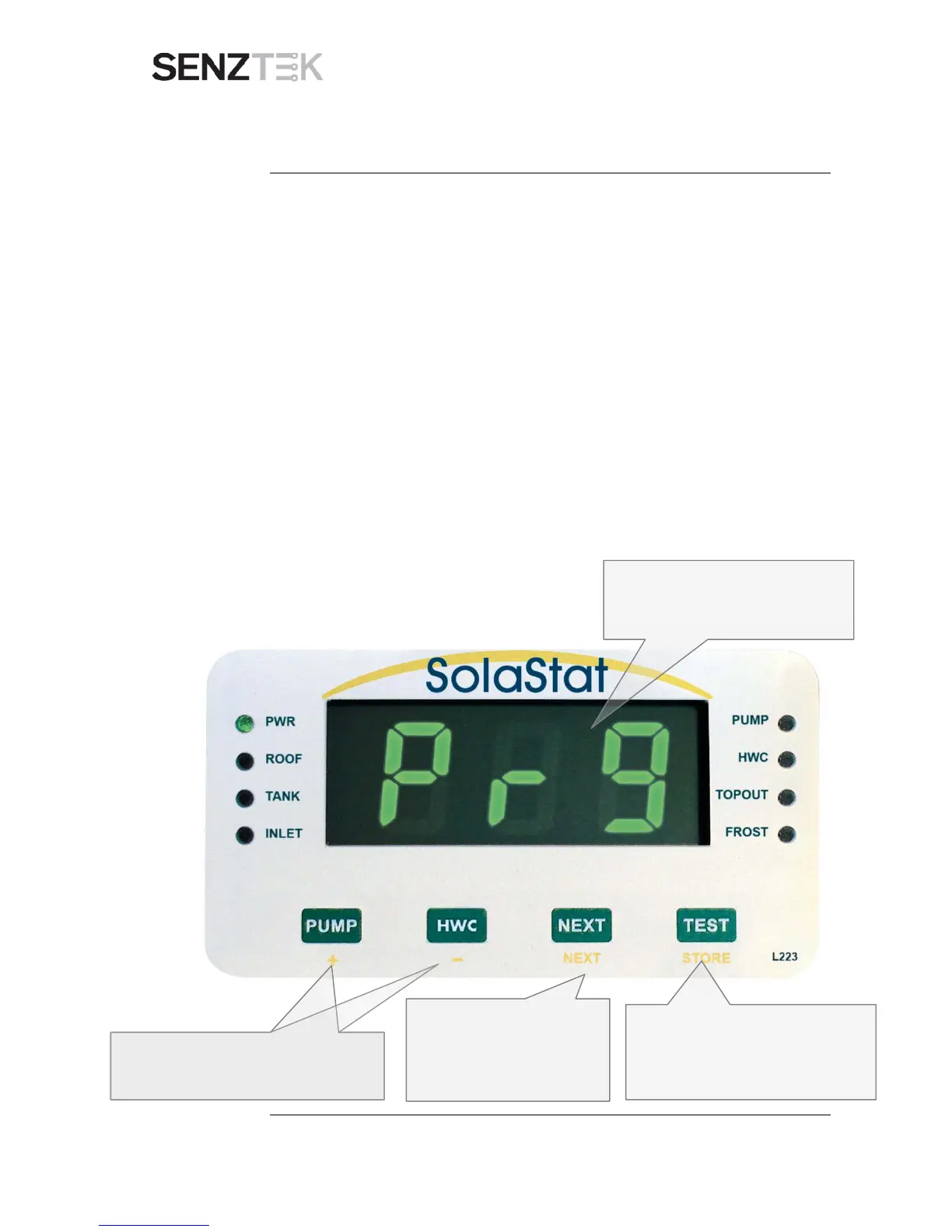
the screen will flash ‘Pr9’ every 10 seconds.
The settings are programmed in the following order. Press next, when you
have adjusted each setting, to move to the next setting. If you wish to go
back, keep pressing NEXT until you return to that setting.
1. PUMP OFF Temperature
2. PUMP ON Temperature
3. HOLDOFF timer (not programmable in this model)
4. REHEAT LOWER (not programmable in this model)
5. REHEAT UPPER (not programmable in this model)
6. BIOSAFE (not programmable in this model)
7. TOPOUT Temperature
8. FROST Value
9. CELSIUS or FAHRENHIET
.
Continued on next page
Use the + and – keys to change the setting
value.
NB. While you’re in Programming
Mode, ‘Pr9’ will flash on the display
screen every 10 seconds
You can press STORE at any time to
save all values and exit programming
mode to automatic operation.


 To Next Page