2
Setup
Overview
Left Side
Right Side
Serato Software
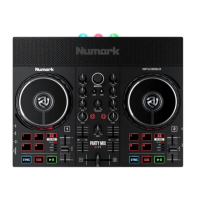
The Reloop Ready is a “Serato DJ Lite hardware unlocked” device, so it works with Serato DJ Lite out of
the box. It is a “paid upgrade to Serato DJ Pro device”, meaning it requires the purchase & activation of a
Serato DJ Pro license, in order to be used with Serato DJ Pro.
You can trial Serato DJ Pro, for up to 14-days.
Click here to nd out more about buying or activating Serato DJ Pro
Please ensure you have the latest version of Serato DJ Pro installed:
Click here to download Serato DJ Pro
Driver Software
The Reloop Ready does not requires manufacturer specic drivers on Mac computers. Windows computers
require a device driver to be installed. This can be downloaded from Reloop’s website here.
# Reloop Ready
CONTROL
FUNCTION
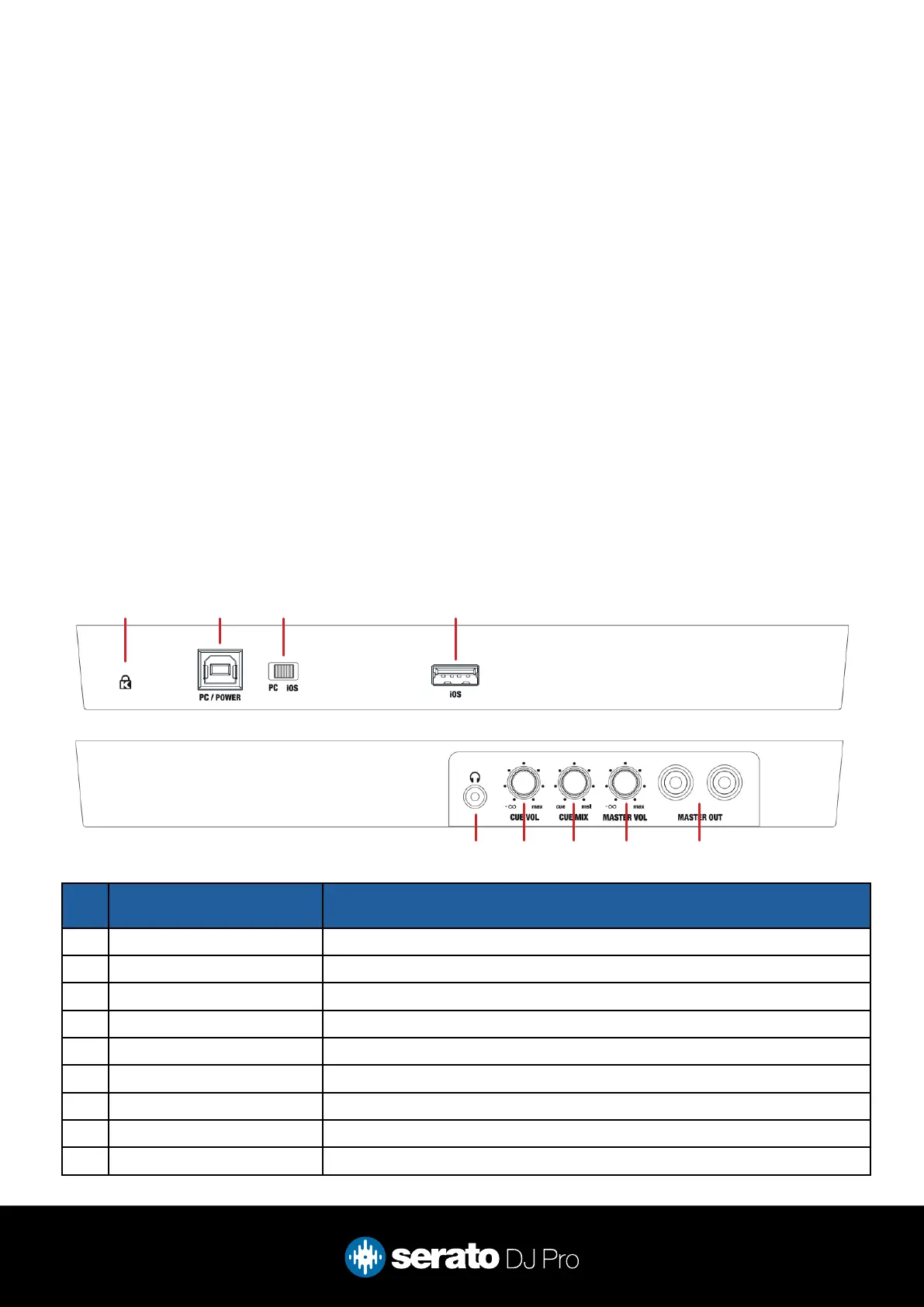
1 KENSINGTON LOCK Connect your 1/4” headphones to this output for cueing
2 PC USB Connect USB cable to this port from computer
3 PC/IOS SWITCH Switch between PC (Serato) and IOS device
4 IOS USB Used for IOS connection
5 1/8” HEADPHONE JACK Connect your 1/8” headphones to this output for cueing
6 CUE VOL Adjust the volume of the headphones
7 CUE MIX Adjust the level of cue and master heard in the headphones
8 MASTER VOL Adjust the master output volume
9 MASTER OUTPUT Use RCA cables to connect this output to a speaker or powered monitors
1 2 3 4
98765



 To Next Page