3
# Ready
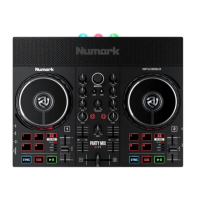
CONTROL
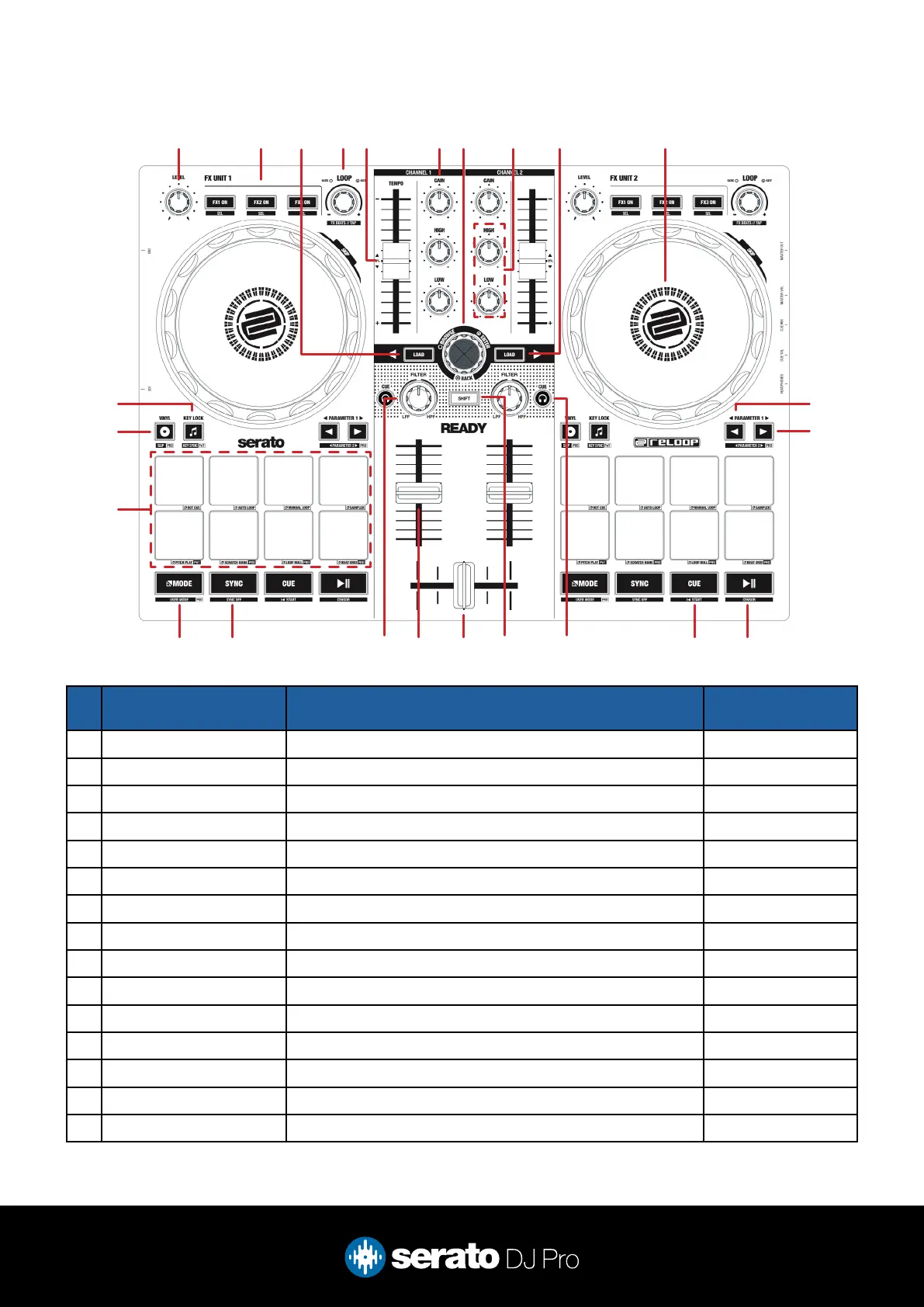
FUNCTION Shift
1 FX LEVEL Adjust FX depth parameter for FX 1, 2 & 3 -
2 FX UNIT Enable FX 1, 2 & 3 FX select
3 LOAD CHANNEL 1 Load currently highlighted track to deck 1 -
4 LOOP Scroll to choose size of loop, press to activate loop FX beat select/Tap
5 TEMPO SLIDER Adjust playback tempo of current loaded track Ignore tempo slider
6 CHANNEL GAIN Adjust channel gain -
7 BROWSE Scroll library or crate list/Library back Fast scroll
8 CHANNEL EQ Adjust channel EQ -
9 LOAD CHANNEL 2 Load currently highlighted track to deck 2 -
10 JOG WHEEL Control the waveform within Serato DJ Pro Platter skip
11 PARAMETER LEFT Adjust the pad mode parameters Parameter 2 Left
12 PARAMETER RIGHT Adjust the pad mode parameters Parameter 2 Right
13 PLAY Play or pause the currently loaded track Censor
14 CUE Set/play from a temporary cue point Jump to start
15 HEADPHONE CUE Enable to monitor the channel through the headphones Adjust Tempo Range
Overview
1 2 4 6 7 108 93 5
22
23
24
11
12
19 151618 17 14 1321 20



 To Next Page