On (5 seconds) - Bluetooth sensor added or synchronization is
successful.
Off - Bluetooth module is in idle mode.
Flashing - Bluetooth module is in active mode.
On - 3G connection established.
Off - No active 3G connection.
Flashing - Data is being transmitted or received via the 3G con-
nection.
On - 433MHz/345MHz mode is selected.
On (5 seconds) - 433MHz/345MHz sensor added or synchroniza-
tion is successful.
Off - 433MHz/345MHz module is in idle mode.
Flashing - 433MHz/345MHz module is in active mode.
On - Cloud service is available and working properly.
Off - Cloud service is not available.
Flashing - Cloud service is not sending data properly.
On - Voice function is enabled.
Off - Voice function is disabled.
Flashing - A voice call is proceeding.
Push the Voice button on the device to start the voice call.
Push the Voice button for three seconds again to stop the voice
call.
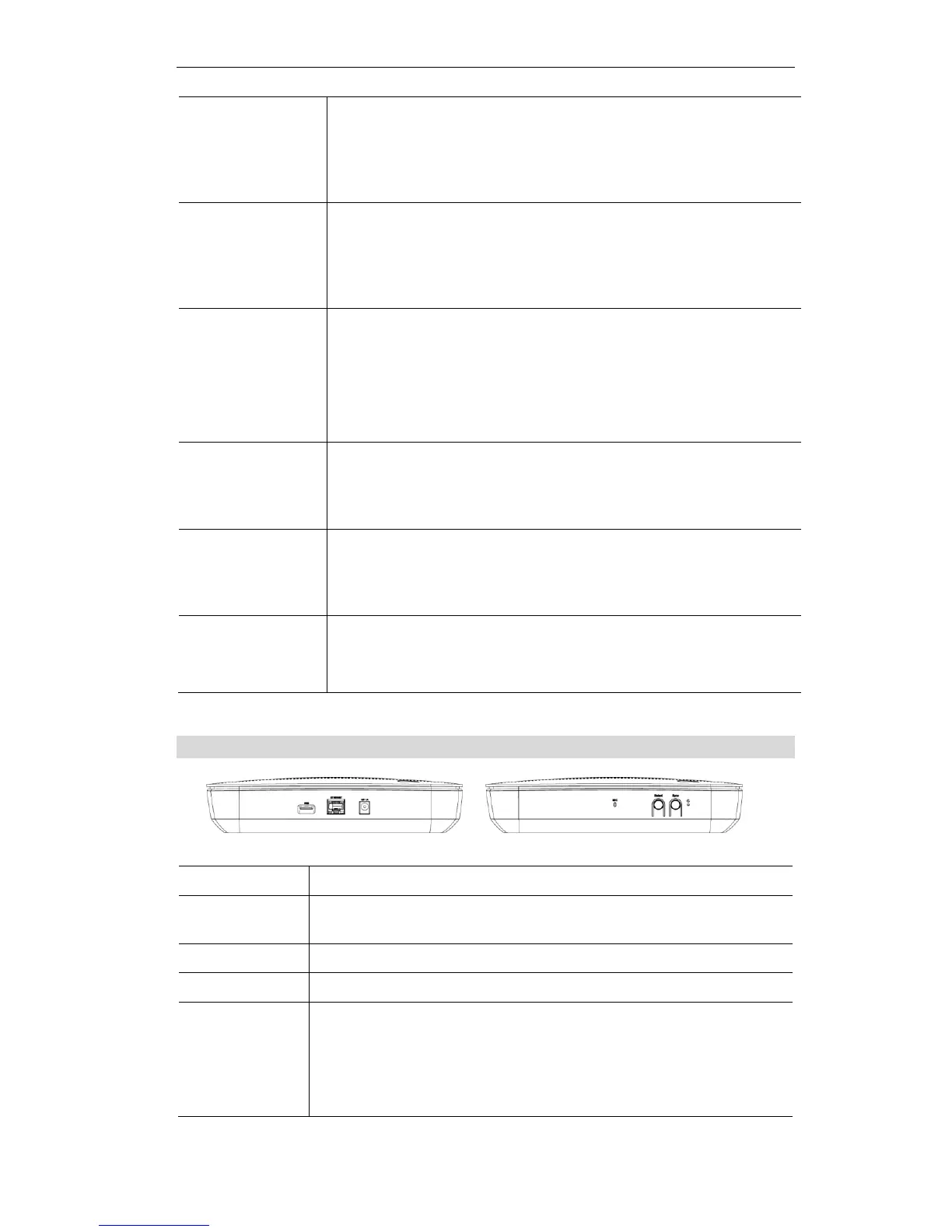
Connect the supplied power adapter here.
Use a standard LAN cable (RJ45 connector) to connect your PC to the
port.
The connector is USB host with support for mass storage device.
The built-in microphone is located on the side of the device.
Push the Select button on the device to choose the desired RF mode
(WiFi/Z-Wave/ZigBee/Bluetooth LE/433MHz), and then the LED
of the selected mode will be on.
Push the Select button for three seconds again to unselect the RF
mode if needed.


 To Next Page