Initial Installation
7
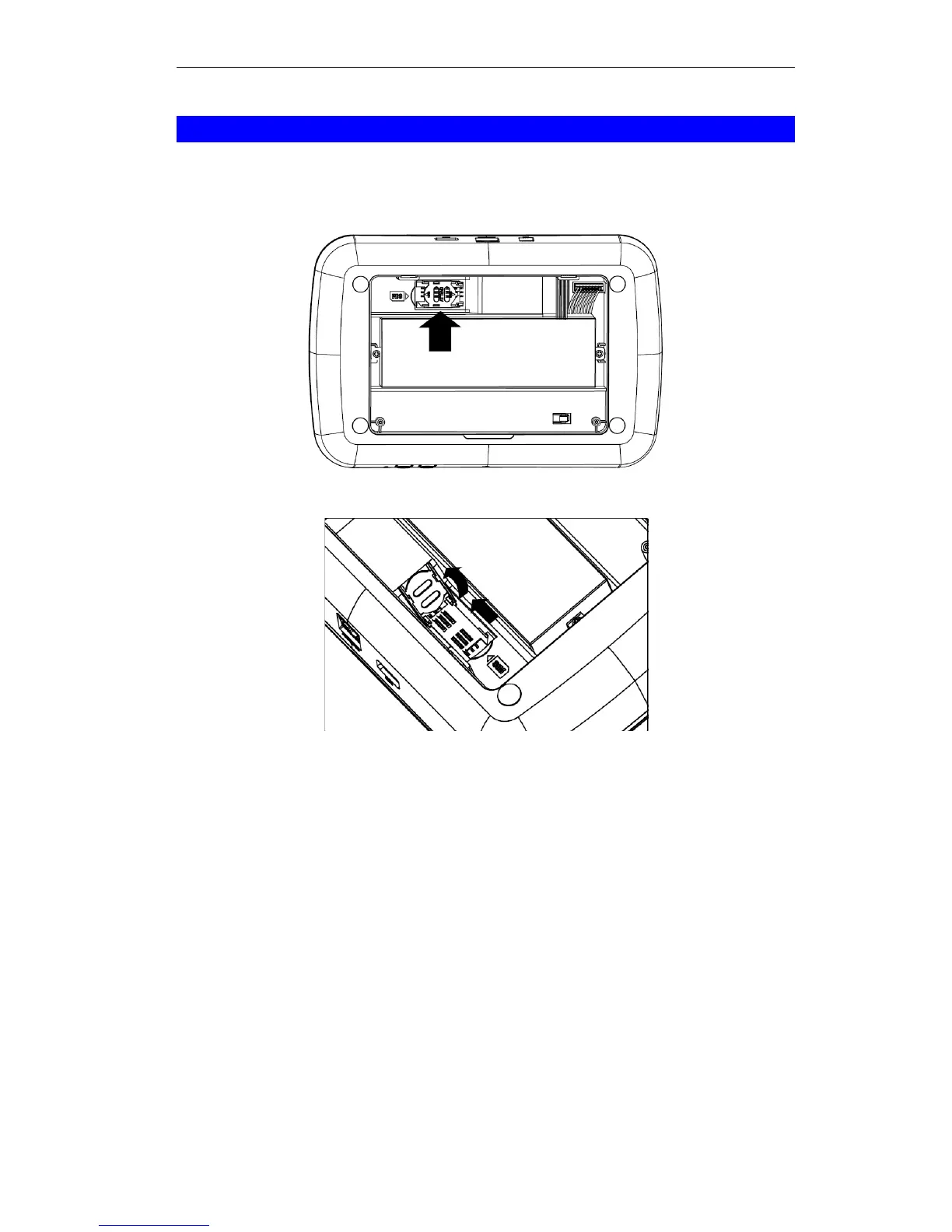
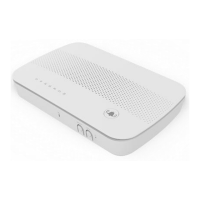
SIM Card Installation
1. Ensured the device is powered off.
2. Remove the screws on the back cover of the device with a screwdriver.
3. Find the location of the SIM card tray.
4. Push the SIM card cover upward.
5. Insert the SIM card into the slot. Make sure the SIM card is installed correctly.
6. Put the SIM card cover back.
7. Attach the back cover to the device with the screws.


 To Next Page