5
Chapter 2
Initial Installation
This Chapter covers the software installation of the Multiple RF Home Gate-
way.
Requirements
Use a standard 10/100/1000 BaseT network (UTP) cable with RJ45 connector.
Procedure
1. Choose an Installation Site
Select a suitable place to install the Multiple RF Home Gateway.
2. Connect Battery Plug Connector
The supplied backup battery can provide excellent continuous power source when discon-
necting power to the device.
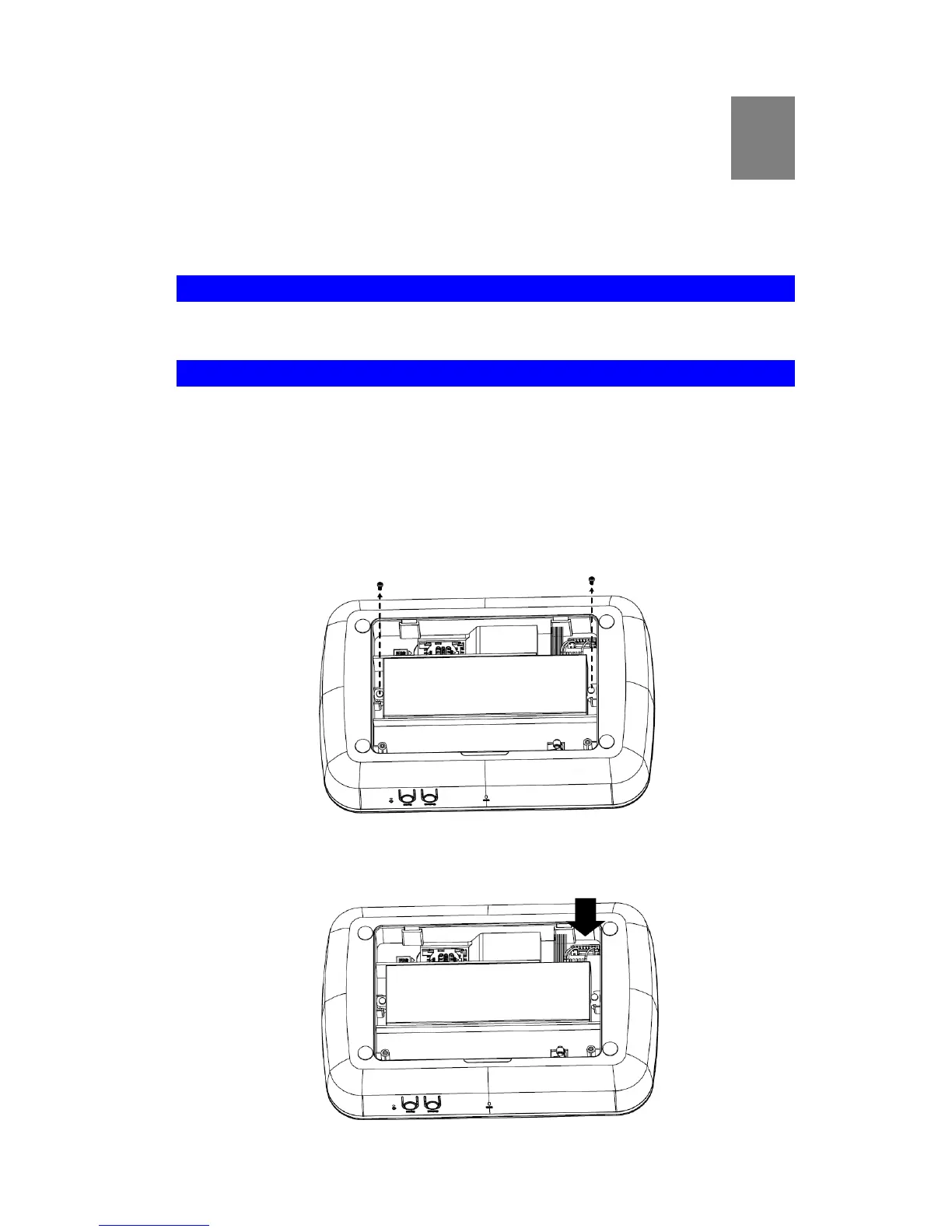
1. Remove the screws on the back cover of the device with a screwdriver.
2. Put the battery connector into the plug, and this will charge and maintain your device’s
backup battery.


 To Next Page