40
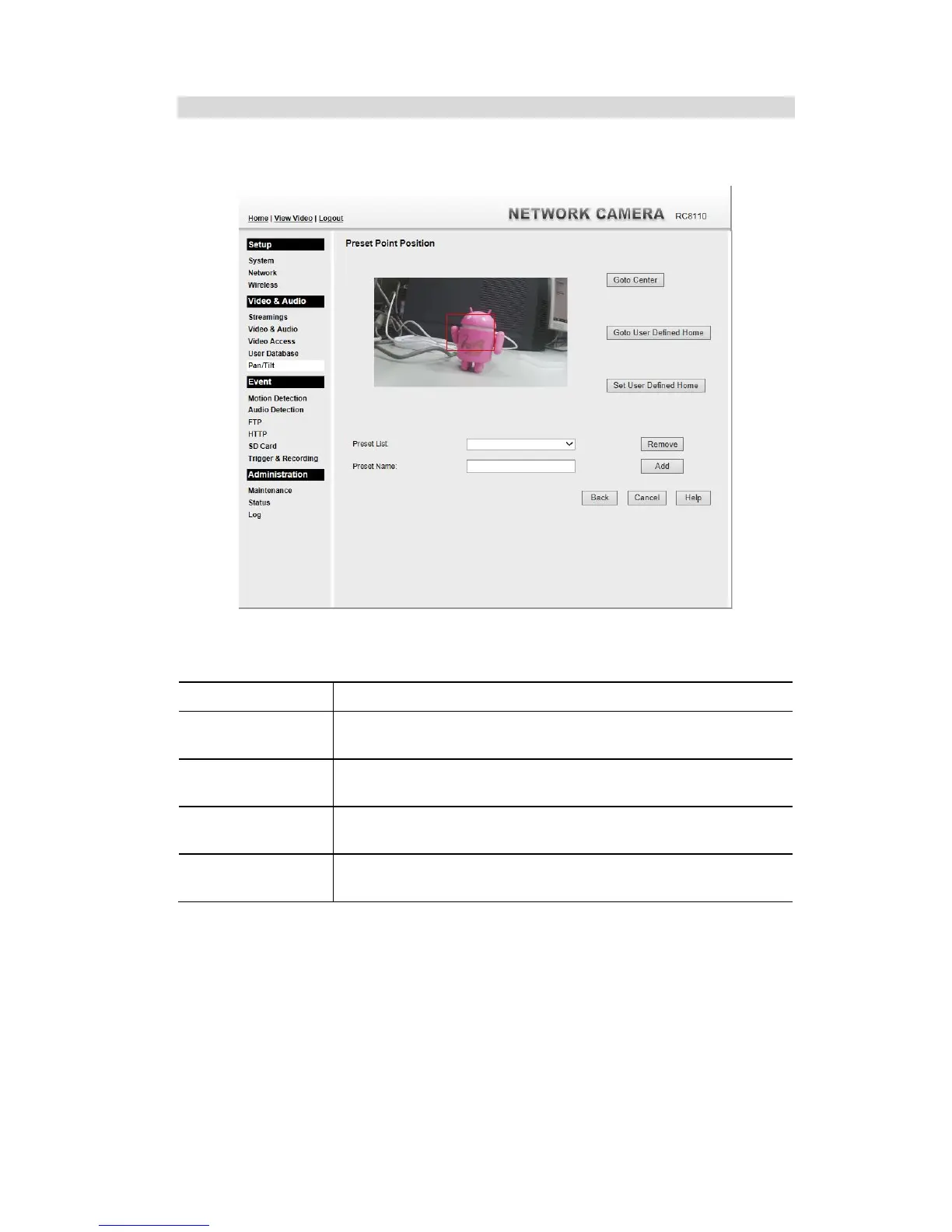
Set Preset Position Screen
This screen is displayed when the Preset Point Position button on the Pan/Tilt screen is
clicked.
Figure 22: Preset Point Position Screen
Data - Preset Point Position
Click this button to go to the center location.
Go to the user defined location.
Set the calibration to the user defined location.
Select the desired Preset. The screen will update with the current
data for the selected Preset Position.
Enter a suitable name for the Preset Position.
If no name is entered, the preset will have a number only.



 To Next Page