PRO2 User Guide
Chapter 8: Using the Command Line Interface (CLI)
• 196
Command Syntax
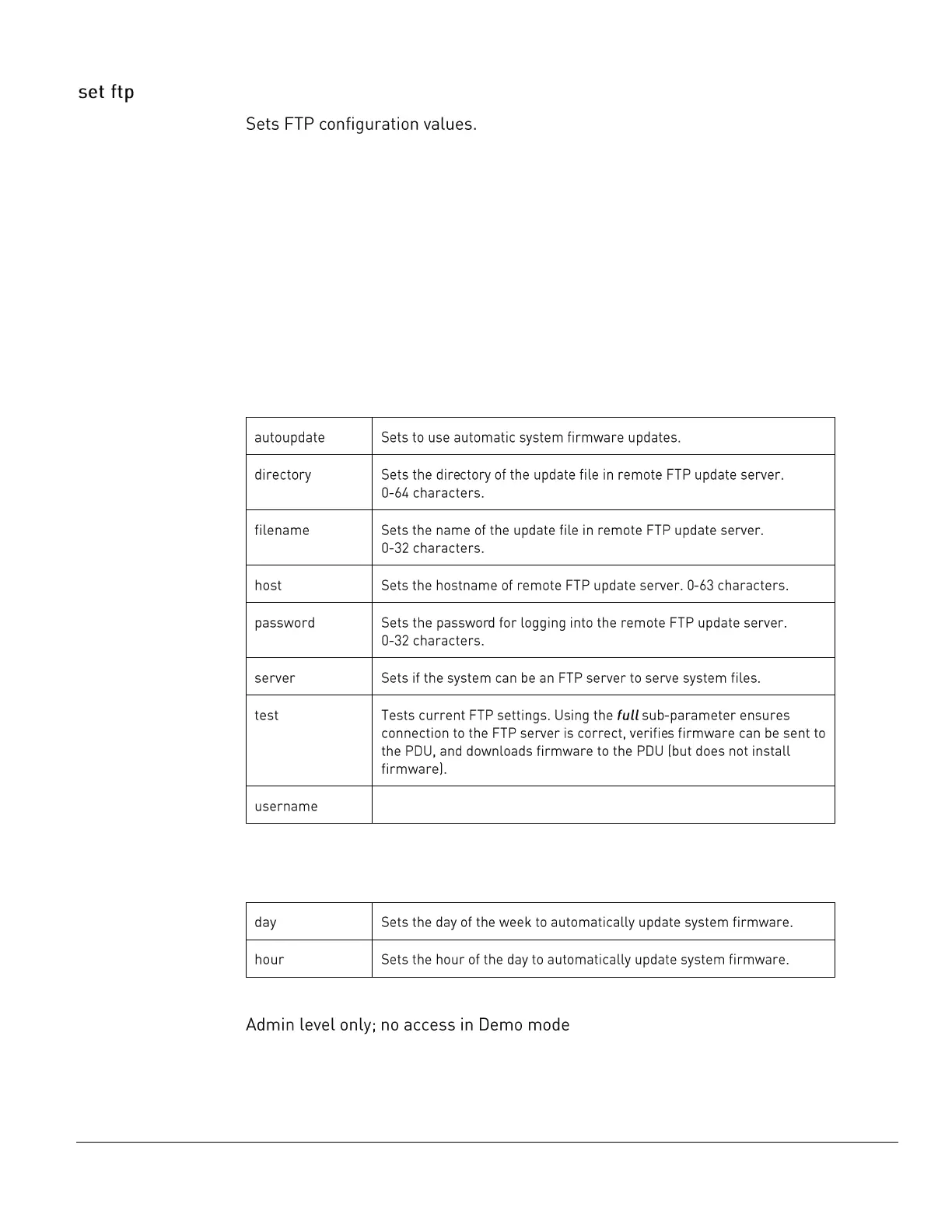
set ftp autoupdate [disabled | enabled]
set ftp autoupdate day [sunday-saturday | everyday]
set ftp autoupdate hour [1am-12am | 1pm-12pm]
set ftp directory <path name>
set ftp filename <filename>
set ftp host <hostname>
set ftp password <password>
set ftp server [disabled | enabled]
set ftp test [full]
set ftp username <username>
Parameters
The set ftp command uses the following parameters:



 To Next Page