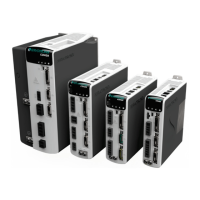
CDHD2
10 Operator Panel (HMI)
HMI Status Codes
Status codes are shown in the table below. Also refer to Digital Display – Warning Codes in
the CDHD2 User Manual.
Table 1-4. Digital Display Status Codes
Operating mode, depending on COMMODE.
If COMMODE 0: Analog/P&D/Serial (OPMODE)
0 = Velocity control, using serial commands
1 = Velocity control, using analog input
2 = Current control, using serial commands
3 = Current control, using analog input
4 = Position control, using gearing input
8 = Position control, using serial commands
If COMMODE 1: (Object 6061)
1 = Profile Position mode
3 = Profile Velocity mode
8 = Cyclic Synchronous Position mode
9 = Cyclic Synchronous Velocity mode
10 = Cyclic Synchronous Torque mode
EtherCAT/CANopen OP mode active
EtherCAT/CANopen INIT mode
First character of a warning code.
Displays the codes shown in this table.
Refer to Operator Panel – Parameter Mode
and to the VarCom Reference Manual.
Refer to Operator Panel – Command Mode.
Refer to Operator Panel – Monitoring Mode.
Faults & Information mode
Refer to Operator Panel – Faults & Info Mode.


 To Next Page
 Loading...