- 22 -
Disc Subtitle
Press this button to activate / deactivate the subtitle function.
Following options are available for the subtitle language:
Original English Spanish German
Italian Portuguese French Russian
Chinese Other
DISPLAY SETUP
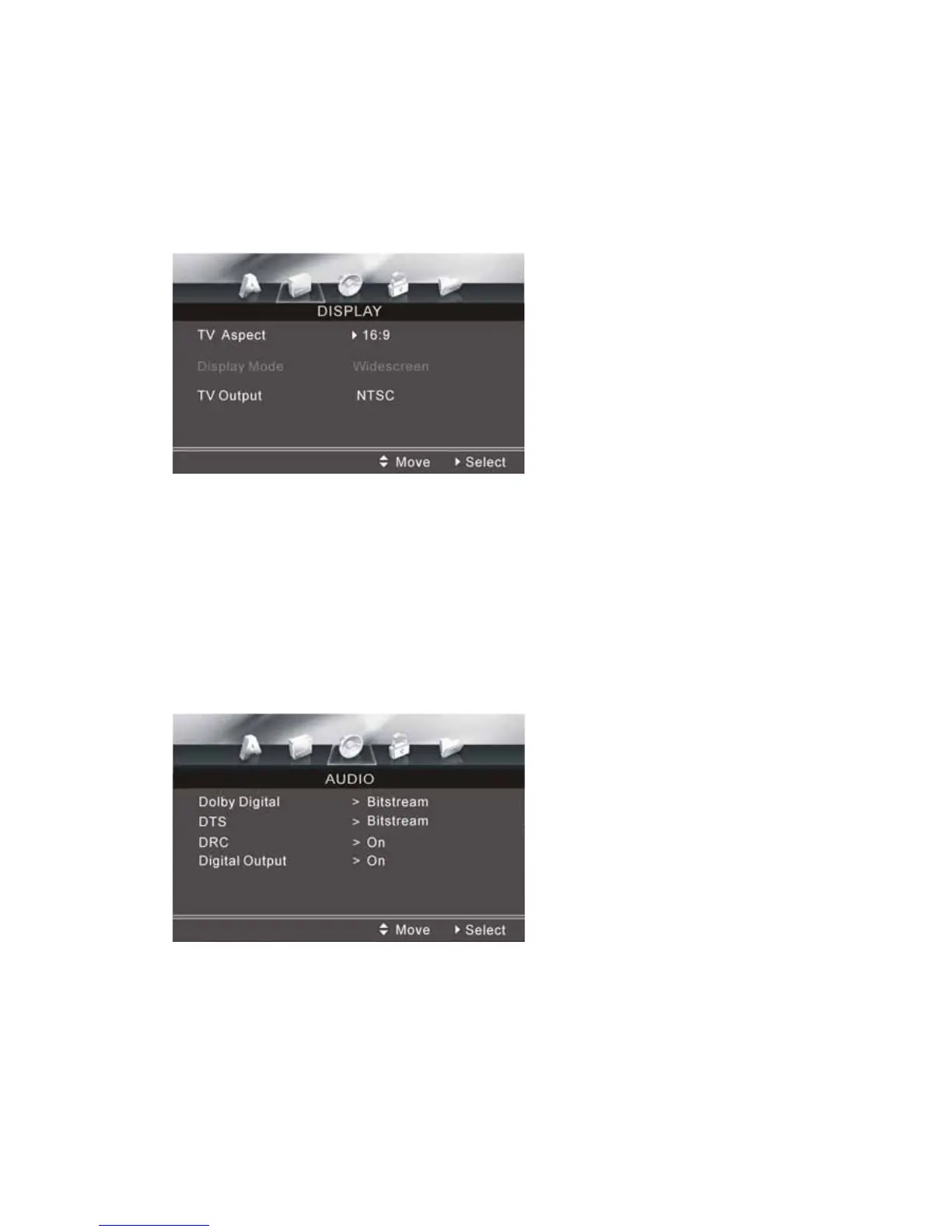
DISPLAY SETUP MENU
TV Aspect: Allows you to select different aspect ratios. You can choose from the
following: 16:9 / 4:3
Display Mode: you can choose between Widescreen (Full Mode) and Letterbox (a
black band will be displayed at the top and at the bottom of the picture.)
TV Output: you can choose the TV format to match your monitor settings. You can
switch between AUTO, NTSC and PAL.
AUDIO SETUP
AUDIO SETUP MENU
Following options are available:
Dolby Digital: (Bitstream PCM).
DTS: (Bitstream PCM).
DRC: Select ON or OFF.
Digital Output: Select ON or OFF.


 To Next Page