SI 300 Wall mounting / Desk type DIGITAL WEIGHT INDICATOR
5-4. F-FUNCTION Setting
This is the Menu which can set the all of the functions.
5-4-1. Start “SET UP” Mode (Pass Word Not use)
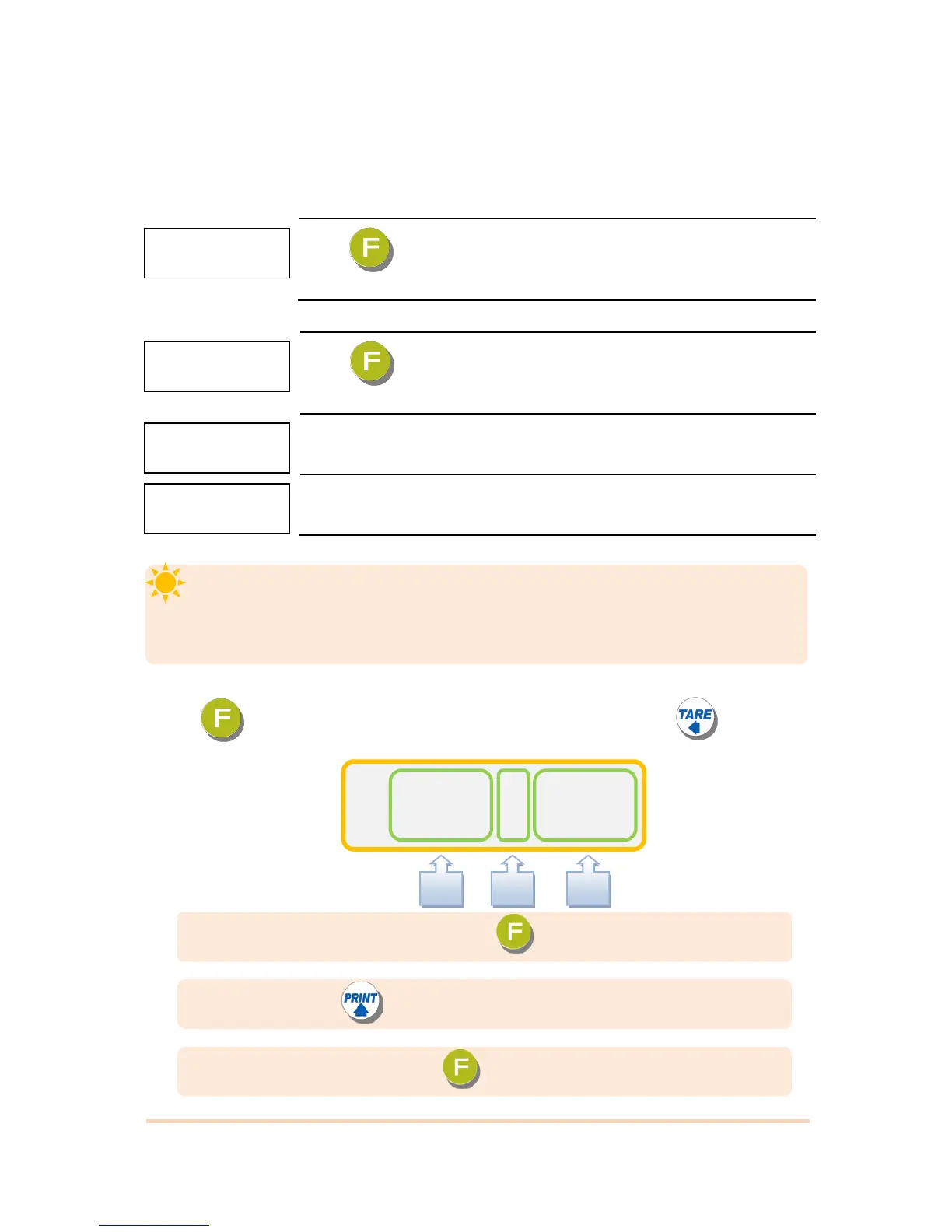
Press key four times within 2sec
When “SET UP” is displayed, SETUP Mode is activated
5-4-2. Start “SET UP” Mode (Pass Word Use – Refer F-function 95)
Press key four times within 2sec
If “P-W” displays, input 4 characters password.
If Password is right, “SETUP” Mode starts.
If Password is wrong, it is back to weighing display.
No password at factory default.
■ Starting F-FUNCTION Mode
Press kye 4 times Input Password Displaying “SETUP” press key.
If you set password by “F95”. “TEST” mode, you cannot start “SETUP” Mode
without password. Please don’t forget the pass word.
After starting ”Calibration” mode, and “Test” mode, serial I/F will be closed.
“C” : Make the set value and press key and save.
“B“ : Whenever press key the the function number will increase.
“A” : Make the function number and press key.


 To Next Page