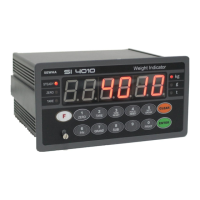
DIGITAL WEIGHING INDICATOR
SI 4010
7-3. Digital Weighing Indicator
1. Load cell Error
2. Load cell cable Error
3.Load cell connection Error
4. A/D Board Error
1. Under “TEST” mode 1, check analogue
value. If you cannot get any analogue value
or there is no change although adding load,
please check load cell, load cell cable,
connection conditions first.
2. Replace another load cell, and check the
indicator condition. If you have same
problem, please replace new indicator and
check A/D board error.
1. Power is ON, when some materials
are on weighing part.
※ Under “Normal Mode”, if there are
more than 20% loading of Max.
capacity, “Un-Pass” display will be
appeared and indicator will stay until
removing the load.
1. If you set “Normal Mode”, please check
weighing part empty or not before turn on
the power. If there are some materials in/on
weighing part, please remove those
materials and turn on the power.
1. When “FN-Memory” is defected
2. When the “FN-Memory” is empty.
1. Please contact the distributor or Head Office.
Under Parallel Printer is connected and
installed.
1. Parallel printer interface is defected or
disconnected.
1. Please check connection of the print cable.
2. Please check the trouble of print.
※ If you only install “Parallel Print” option
card, you can check to do.
※ Under “CELL-Er”, Relay will not be Output, and Analogue Output(4~20mA/0~10V), either.


 To Next Page