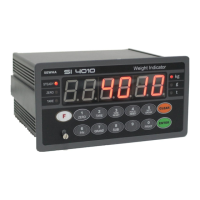
DIGITAL WEIGHING INDICATOR
SI 4010
7-4. Indicator Test mode
Through this “Test Mode”, you can check basic conditions of Indicator.
This Test consist with total 7 tests.
7-4-1. Enter “Test Mode”
Press key for 4sec, then display will show “F-Test”.
Under this display, press No.2 key and enter the “Test Mode”.
Under “Test Mode”, please choose each test and check the basic conditions of Indicator.
If you want to exit from each “Test Mode”, press key.
7-4-2. Test Mode
Test 1.
Analogue Value
Test
(F-KEY : Zero,
1-KEY : Return)
Under “TEST” display, press No.1 key and Enter “TEST1” mode.
Under this mode, you can check the A/D value.
If the A/D value is unstable, or there is no change although pressing or loading some force
on/in weighing part, please check load cell, load cell, cable, connecter, A/D board.
Under “TEST” display, press No.2 key and Enter “TEST2” mode.
Press each key, and check the pressed key is operated.
Test 3.
Output Relay Test
Under “TEST” display, press No.3 key and Enter “TEST3” mode.
This Test will be operated automatically from Relay1 to Relay6.
※ This test will operate automatically, so please remove all materials in/on weighing parts.
If you can not remove materials, please remove relay terminals.
Test 4.
External Input Test
Under “TEST” display, press No.4 key and Enter “TEST4” mode.
If you press External input S/W, the External S/W No. will be displayed.
If the S/W No. is not displayed, please check connecting condition.
Test 5.
Communication
Test
(Com. Port 1)
Under “TEST” display, press No.5 key and Enter “TEST5” mode.
After connecting No.2 and 3 pin of 9pin connector, you can test communication condition,
like TXD or RXD/TXD.
If there is an error in communication, “232-Err” will be displayed with 3times buzzer
sound. The communication is working properly, “232Pass” will be displayed with one
time buzzer sound.
Test 6.
Communication
Test
(Com. Port 2)
Under “TEST” display, press No.6 key and Enter “TEST6” mode.
After connecting No.2 and 3 pin of 9pin connector, you can test communication condition,
like TXD or RXD/TXD.
If there is an error in communication, “232-Err” will be displayed with 3times buzzer
sound. The communication is working properly, “232Pass” will be displayed with one
time buzzer sound.


 To Next Page