PAGE 19
PAGE 18
3. ASSEMBLY
Fitting the trimmer guard and trimmer head
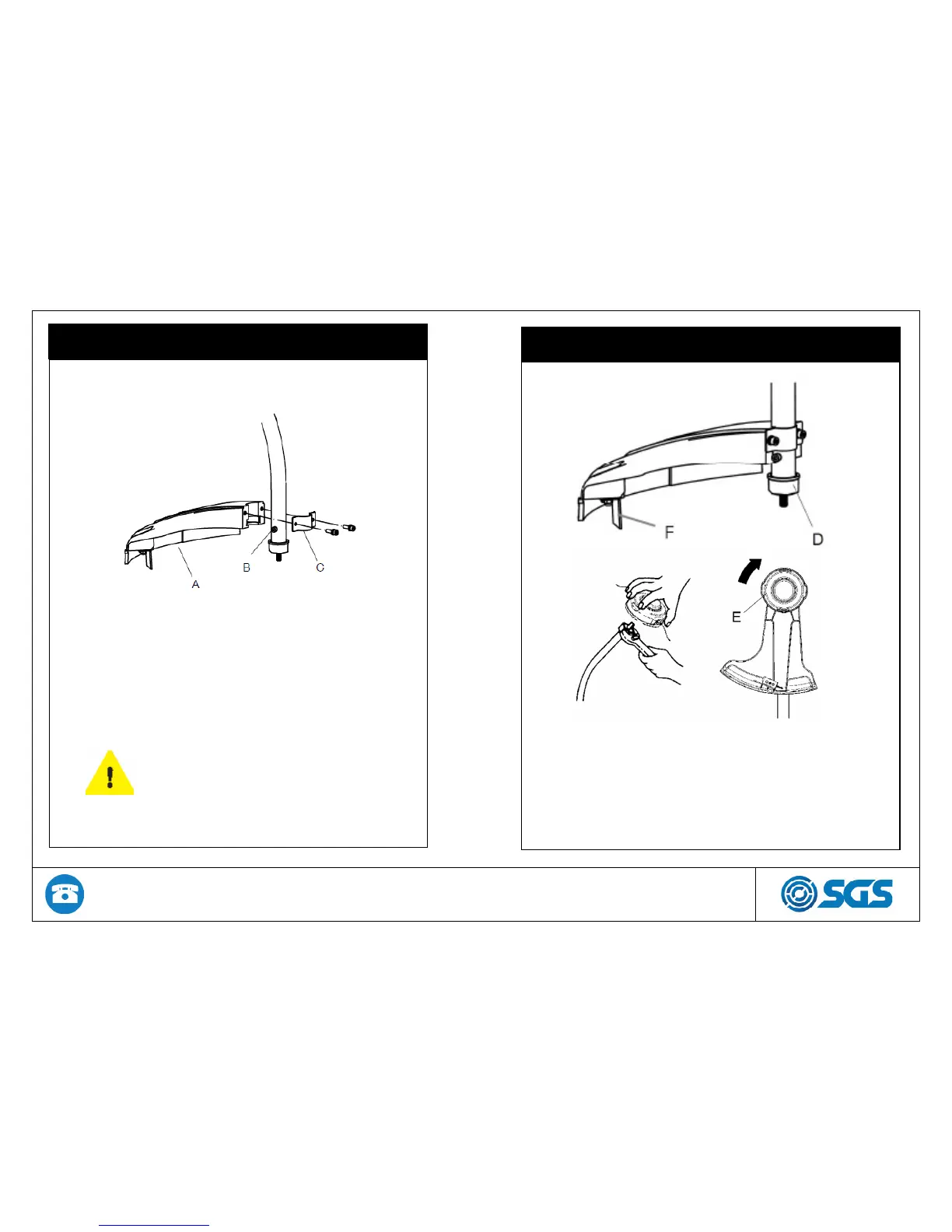
To attach the cutting attachment guard (A), place it on the
lower end of the trimmer shaft just above the drive shaft
bolt (B). Ensure the guard covers the hex key bolt (B), on
the side of the line trimmer shaft.
Now place the guard bracket (C) over the shaft and align
the holes in the guard. Using the bolts provided and with a
hex key secure the guard into place.
Make sure the guard cannot
move around the shaft.
3. ASSEMBLY
Hold the dust cup (D) with a wrench to prevent the shaft
from rotating.
Screw the trimmer head (E) onto the shaft.
Fit the line trimmer (F) to the guard.


 To Next Page