AGV
- 1 -
User Interface
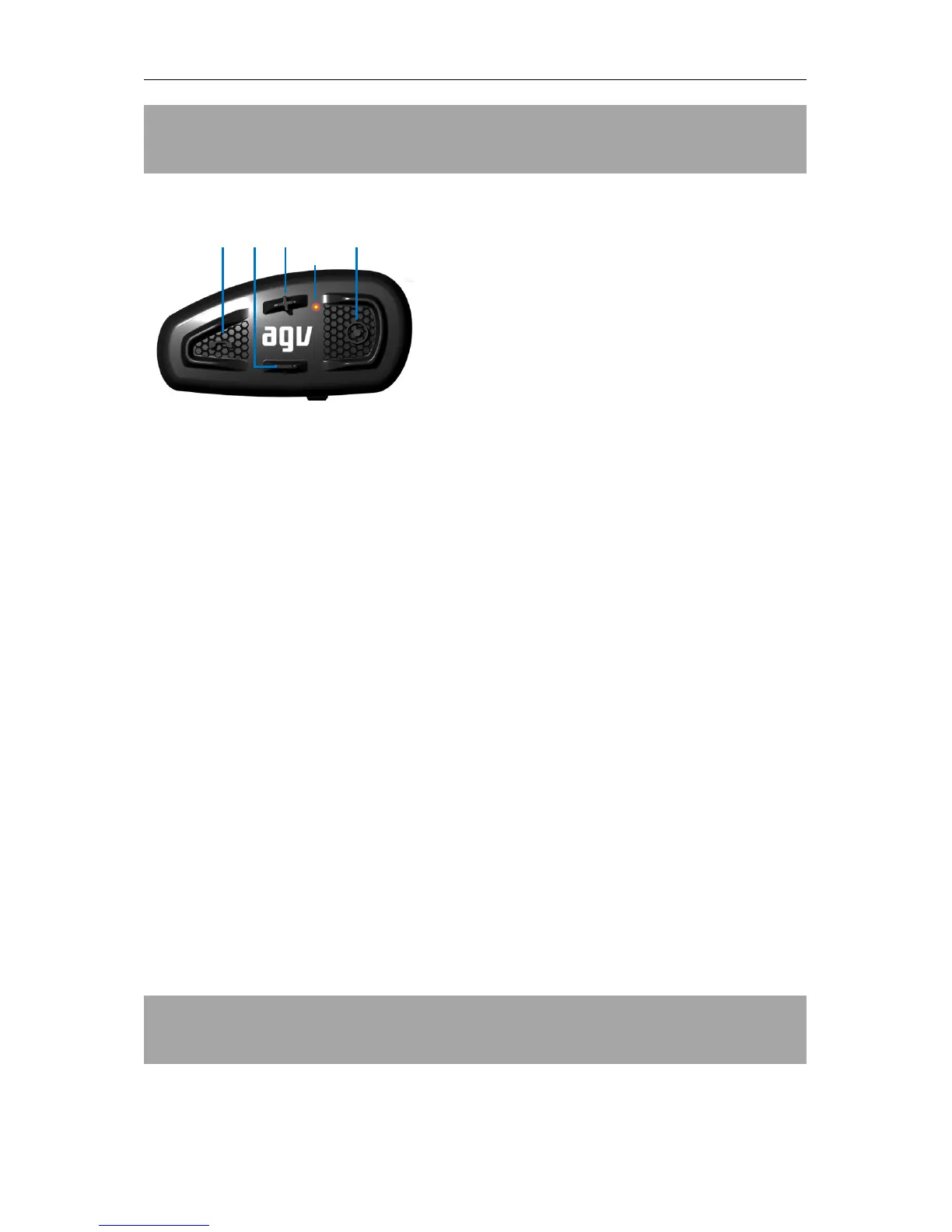
SHARE can be controlled by its ergonomic external keypad, with intuitive and good feeling buttons:
1. MFB (Multi-Function Button) !
• Mode Switch (Music/FM/Aux Audio)
• Call
• Play, Pause
2. MINUS !
• Volume down
• Redial
• Track Backward
• FM Prev Channel, FM Frequency Seek Down
• Language Select Down
3. PLUS "
• Volume up
• Voice dial
• Track forward
• FM Next Channel, FM Frequency Seek Up
• Language Select Up
4. CTRL (Control) #
• Power
• Pairing
• Intercom
5. LED light indicator


 To Next Page