AGV
- 1 -
Interfaccia Utente
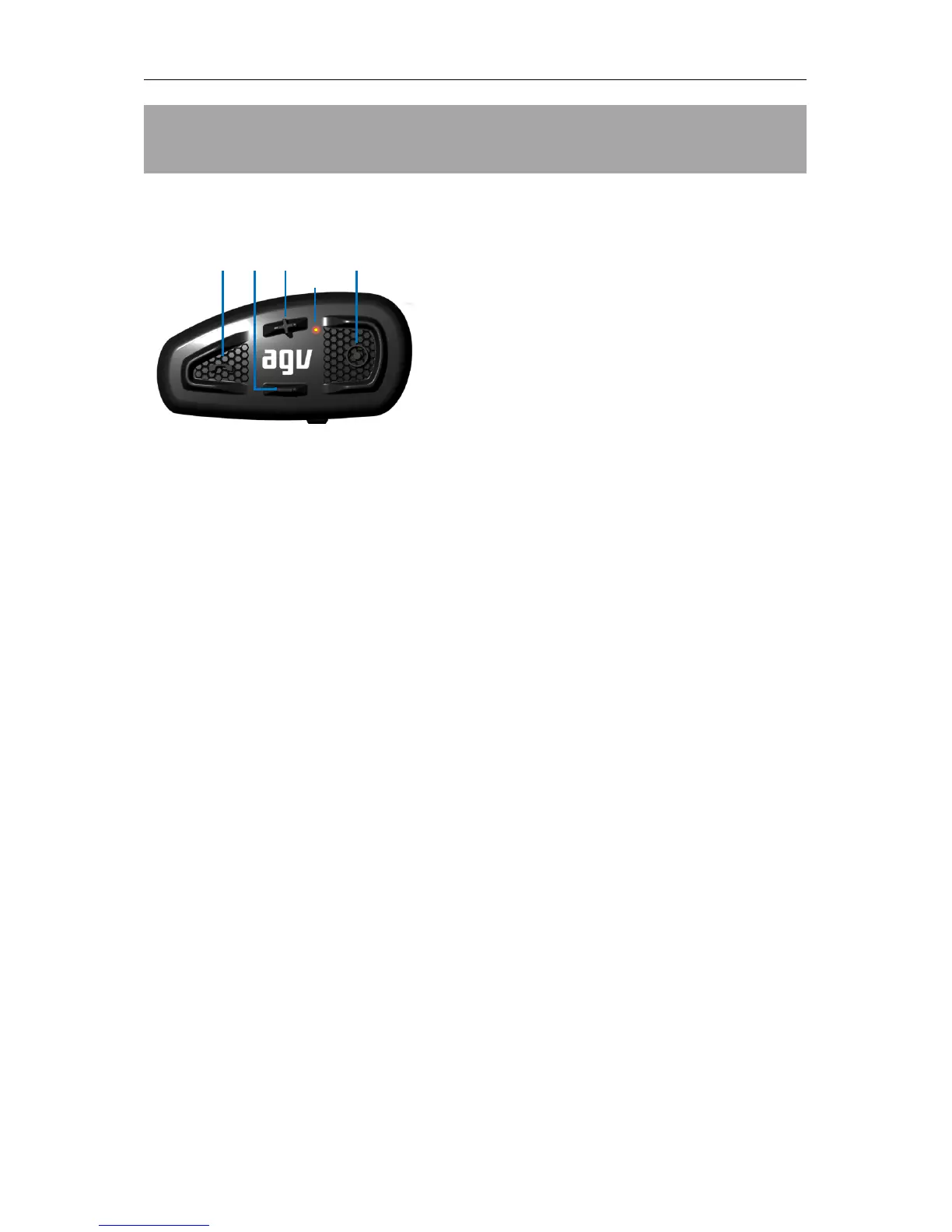
SHARE può essere controllato per mezzo della sua tastiera esterna, ergonomica e con tasti intuitivi e di
facile identificazione:
1. MFB (Multi-Function Button) !
• Cambio funzione (Music/FM/Aux Audio)
• Telefonata
• Play, Pausa
2. MINUS !
• Riduzione volume
• Ripetizione ultimo numero
• Brano precedente
• Precedente canale FM, cambio frequenza FM (verso basse frequenze)
• Cambio lingua (precedente)
3. PLUS "
• Aumento volume
• Chiamata vocale
• Brano successivo
• Successive canale FM, cambio frequenza FM (verso alte frequenze)
• Cambio lingua (successiva)
4. CTRL (Control) #
• Accensione/spegnimento
• Abbinamento
• Intercom
5. indicatore LED


 To Next Page