1 2
1-800-798-7398 sharkclean.com
CONTENTS
THANK YOU
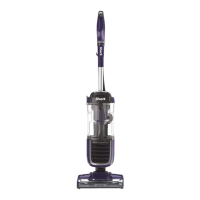
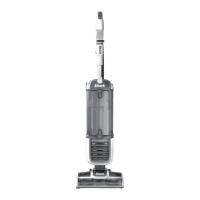
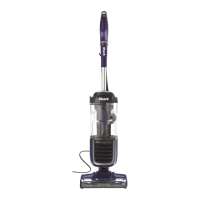
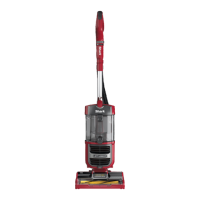
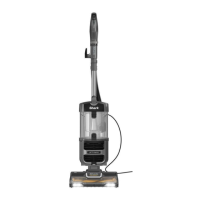
for purchasing the Shark® Navigator™ Swivel Plus
Important Safety Instructions � � � � � � � � � � � � � � � � � � � � � � � � � � � 3
Getting to know your SHARK Navigator Swivel Plus � � � � � � � 5
Assembling Your Vacuum � � � � � � � � � � � � � � � � � � � � � � � � � � � � � � 7
Using Your Vacuum � � � � � � � � � � � � � � � � � � � � � � � � � � � � � � � � � � � � 9
What Does the Brushroll Indicator Light Mean? . . . . . . . . . . . . . 9
Using Your Vacuum Super Stretch Hose � � � � � � � � � � � � � � � � � � 11
The Benefits of Suction Control . . . . . . . . . . . . . . . . . . . . . . . . . . . 11
Maintenance � � � � � � � � � � � � � � � � � � � � � � � � � � � � � � � � � � � � � � � � � 13
Emptying the Dust Cup . . . . . . . . . . . . . . . . . . . . . . . . . . . . . . . . . . . 13
Cleaning the Filters . . . . . . . . . . . . . . . . . . . . . . . . . . . . . . . . . . . . . . .14
Checking for Blockages . . . . . . . . . . . . . . . . . . . . . . . . . . . . . . . . . . .15
Maintaining Brushroll . . . . . . . . . . . . . . . . . . . . . . . . . . . . . . . . . . . . .16
Troubleshooting Guide � � � � � � � � � � � � � � � � � � � � � � � � � � � � � � � � 17
Warranty � � � � � � � � � � � � � � � � � � � � � � � � � � � � � � � � � � � � � � � � � � � � 18
PLEASE READ CAREFULLY AND KEEP FOR
FUTURE REFERENCE�
This Owner’s Guide is designed to
help you get a complete understanding of
your new Shark Navigator Swivel Plus
If you have any questions, please call the
customer service line at 1-800-798-7398.
TECHNICAL SPECIFICATIONS
Voltage: 120V., 60Hz
Watts: 1200W
Amps: 10A
REGISTER YOUR PURCHASE
registeryourshark.com
1-800-798-7398
RECORD THIS INFORMATION
Model Number: ������������������������������
Date Code: ����������������������������������
Date of Purchase (Keep receipt): ����������������
Store of Purchase: ����������������������������
TIP: You can find the
model number on the
rating label located on
the back of your unit.
TIP: You can locate
the date code on one
of the prongs of the
power cordplug.
Scan QR code using
mobile device.

 To Next Page
 Loading...