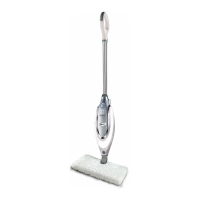
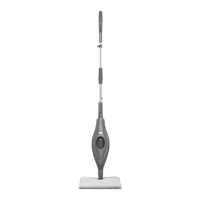
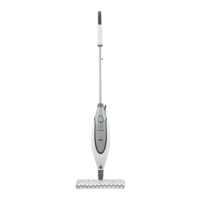
The Shark Pro Steam Pocket Mop (models S3601, SE450, SE460 Series) is a household appliance designed for cleaning hard floor surfaces using steam. It functions by heating water to produce steam, which is then applied through a mop head and specialized pads to clean and sanitize floors.
Function Description:
The primary function of the Shark Pro Steam Pocket Mop is to provide an effective and chemical-free way to clean and sanitize various sealed hard floor surfaces. It utilizes steam to loosen and lift dirt, grime, and stains, while the Dirt Grip™ Pocket Pads absorb the moisture and debris. The mop offers multiple steam settings, allowing users to adjust the steam intensity based on the cleaning task and floor type, ranging from light dusting to heavy-duty scrubbing and sanitization.
Important Technical Specifications:
- Voltage: 120V, 60Hz
- Watts: 1200W
- Water Capacity: 500 ml (16.9 oz.)
- Series: S3601, SE450, SE460
Usage Features:
- Assembly: The mop requires minimal assembly, involving screwing the handle into the housing, securing the mop head into a Dirt Grip Pocket Pad, and snapping the housing onto the mop head. A filling flask is provided for easy water tank replenishment.
- Water Tank: The water tank has a capacity of 500 ml and should only be filled with water. Distilled water is recommended, especially in hard-water areas, to prolong the life of the Steam Mop. Chemicals, cleaning solutions, vinegar, scented perfumes, or oils should never be added to the water tank as they can damage the appliance and be unsafe. The water tank cap has locked and unlocked positions indicated by an arrow.
- Steam Control Panel: The mop features a Steam Control button that allows users to select different steam settings:
- DUST (Light Steam): Provides light steam for delicate surfaces like laminate, hardwood, and marble. Ideal for light cleaning, dusting, loosening, and lifting light dirt, and sanitizing floors.
- MOP (Normal Steam): Provides normal steam for most surfaces and larger cleaning tasks, including basic everyday cleaning, spot removal, and cleaning moderate to heavily trafficked areas. Also suitable for sanitizing floors.
- SCRUB+ (Heavy Steam): Provides the heaviest steam for hard-to-clean surfaces and deep cleaning tasks. Effective for tough cleaning, removal of stuck-on messes and stains, and deep cleaning heavily trafficked areas with heavy dirt and grime. This setting is not available on SE450 and SE460 models.
- Operation:
- Sweep or vacuum floors before steaming.
- Plug the power cord into an electrical outlet. The STEAM CONTROL button will flash blue.
- Press the STEAM CONTROL button to select the desired steam setting. The light will turn solid blue when a setting is active.
- Wait approximately 30 seconds for the unit to begin producing steam (it might take longer for the first-time use).
- Move the mop in a forward and backward motion over the surface to be cleaned.
- To sanitize, use a clean pad, select DUST, MOP, or SCRUB+ setting, wait 30 seconds for steam production, and then mop with a forward and backward motion for at least three minutes, repeating over the area 15 times.
- Safety Features:
- Polarized plug to reduce the risk of electric shock.
- Automatic shut-off of steam when the water tank is empty.
- Warning against leaving the Steam Mop unattended when plugged in and always unplugging before servicing.
- Caution against using on unsealed wood or unglazed ceramic floors, or on surfaces treated with wax or no-wax floors, as heat and steam may remove the sheen. Testing an isolated area is recommended.
- Warning against scalding from hot steam and hot pads. Always allow the mop to cool before removing or changing mop heads or pads.
- Do not immerse the Steam Mop in water or any other liquid.
- Do not put hands or feet under the Steam Mop during operation.
- Do not operate another appliance on the same circuit to avoid overload.
Maintenance Features:
- Pad Care Instructions (Dirt Grip™ Pocket Pads):
- Before washing, close the hook-and-loop fasteners on the pads.
- Machine wash separately with warm water using liquid detergent.
- NEVER use bleach, powdered detergent, or fabric softeners, as these can damage the microfiber fabric and reduce cleaning performance and absorbency.
- Line-dry or tumble-dry on a low setting to extend pad life.
- Trim any loose fibers with scissors to prevent the weave from coming undone.
- Pad Replacement: For best cleaning results, it is recommended to replace Dirt Grip Pocket Pads every 3 to 4 months with normal use. Worn pads may require more effort to push or pull the Steam Mop. Replacement pads and accessories can be purchased from sharkaccessories.com or by calling customer service.
- After Use and Storage:
- After use, press the Steam Control switch until the LED light flashes BLUE to stop steaming.
- Unplug the cord and place the Steam Mop in an upright position.
- Allow the unit to cool for 2-3 minutes.
- Remove the Dirt Grip™ Pocket Pad by releasing the quick fasteners and using the loop on the side of the pad, avoiding contact with the hot pad.
- Empty the water tank before storing.
- The mop can be stored on a wall hook by its handle after cooling and removing the mop head.
- Clean the exterior of the Steam Mop with a dry or damp cloth. Do not pour water on the Steam Mop or use alcohol, benzene, or paint thinner for cleaning.
- Store the Steam Mop indoors in a cool, dry place.
- Troubleshooting Guide: Provides solutions for common issues such as the mop not turning on, not making steam, leaving water or white spots on the floor, or causing cloudy/streaky floors. Customer service contact information is provided for unresolved issues.
- Warranty: The product comes with a One (1) Year Limited Warranty from SharkNinja Operating LLC, covering defects in material and workmanship under normal household conditions. It excludes normal wear and tear of wearable parts, commercial use, damage from misuse or neglect, and unauthorized repairs.

 Need help?
 General





 To Next Page