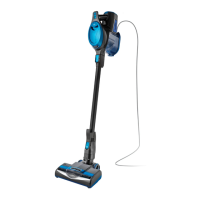
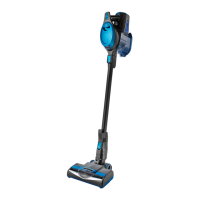
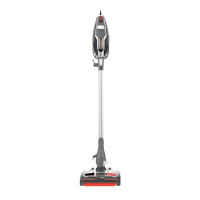
The Shark Rocket Powerhead AH450 Series is a 2-speed upright vacuum cleaner designed for both deep carpet cleaning and gentle hard floor cleaning. It features a motorized floor nozzle with headlights to illuminate the cleaning path, and a telescoping wand for adjustable height and versatile cleaning. The vacuum is equipped with a dust cup for debris collection and includes two interchangeable brushrolls: the Deep Clean Carpet Brushroll and the Gentle Touch Hard Floor Brushroll.
Function Description:
The Shark Rocket Powerhead is primarily used for vacuuming various floor types, including carpets, area rugs, and hard floors. Its 2-speed POWER slider switch on the handle allows users to select between "LO" for gentle cleaning and large debris pickup, and "HI" for deep cleaning and stuck-on dust and debris. The motorized floor nozzle ensures effective cleaning by actively spinning the brushroll, with headlights providing visibility in dimly lit areas. A unique Suction Control Button on the motorized floor nozzle helps manage suction power, making it easier to push and pull the vacuum on high-pile carpets and to reduce suction for delicate area rugs. The telescoping wand allows for height adjustment, enhancing user comfort and maneuverability. The vacuum is designed for household use and is not intended for commercial purposes.
Important Technical Specifications:
- Model: AH450 Series
- Voltage: 220~240V, 50/60Hz
- Watts: 600W
- Amps: 5 A
- Brushrolls: Includes Deep Clean Carpet Brushroll (327FFJ452) and Gentle Touch Hard Floor Brushroll (323FFJ401).
- Filters: Pre-Motor Foam & Felt Filters (XFFH400) and Post-Motor Filter (XEXFH400).
Usage Features:
- 2-Speed Power Switch: Located on the handle, it offers "LO" and "HI" settings.
- LO Setting: For the Deep Clean Carpet Brushroll, this provides gentle cleaning on hard floors and area rugs. For the Gentle Touch Hard Floor Brushroll, it's optimized for large and heavy debris pickup. In both cases, the brushroll spins slowly.
- HI Setting: For the Deep Clean Carpet Brushroll, this deep-cleans carpets by removing embedded dirt. For the Gentle Touch Hard Floor Brushroll, it cleans loose and stuck-on dust and debris. In both cases, the brushroll spins quickly.
- Motorized Floor Nozzle with Headlights: The headlights automatically turn on in either speed setting, illuminating the floor surface for better visibility during cleaning.
- Suction Release Button: Located on the motorized floor nozzle, this button allows users to open it to minimize suction, which is useful for vacuuming high-pile carpets (to reduce push/pull effort) and delicate area rugs. It should be closed for maximum suction.
- Telescoping Wand: The height of the wand can be adjusted by pressing the HEIGHT ADJUST button and pulling up or pushing down. This feature also facilitates compact storage.
- Brushroll Holster: A dedicated holster is provided to store the spare brushroll, which attaches to the lower part of the wand.
- Cord Hooks: The power cord can be wrapped around the upper and lower cord hooks for organized storage.
- Upright Storage: The vacuum can be stored in an upright position.
Maintenance Features:
- Emptying the Dust Cup:
- Detach the removable Dust Cup by pressing the Dust Cup Release Foot Pedal on the left side near the nozzle.
- Lift the Dust Cup by its handle from the motorized floor nozzle.
- Hold the Dust Cup over a garbage bag and press the Empty button on the side to release debris.
- Clean the dust screen inside the Dust Cup as needed.
- Cleaning the Filters:
- Pre-Motor Filters (Foam & Felt):
- Access by pressing the FILTER ACCESS latch on the top of the Dust Cup.
- Remove and rinse the foam and felt filters every month.
- Allow filters to air-dry completely before re-inserting. Hand wash only; tap loose dirt off between washes.
- Insert the felt filter first, then the foam filter on top.
- Post-Motor Filter:
- Access on the top of the Motorized Floor Nozzle.
- Remove and rinse once a year.
- Allow the filter to air-dry completely before re-inserting. Hand wash only.
- Cleaning the Powerhead and Brushrolls:
- Slide out the Brushroll Cover Release Buttons.
- Pull up the hood of the Motorized Floor Nozzle.
- Lift the tab on the brushroll to remove it from the nozzle.
- Remove any string, carpet fibers, or hair wrapped around the brushroll. A groove on the brushroll assists in cutting debris without damaging bristles.
- The brushroll can be rinsed under running water and must be air-dried completely before re-installation. Do NOT place in a dishwasher or dryer, and do NOT submerge in water. Using a wet brushroll will void the warranty.
- To reassemble, hold the brushroll by the tab, align with the gear, and place it in the nozzle with the tab facing up.
- Close the brushroll cover, ensuring it clicks into place and the release buttons are fully closed.
- Troubleshooting: The manual provides guidance for common issues such as loss of suction, brushroll not spinning, and the vacuum turning off due to overheating (motor protective thermostat). It advises checking filters, emptying the dust cup, clearing blockages, and allowing the unit to cool down.
- Important Note: All filters and brushrolls must be completely dry before being replaced in the vacuum to prevent damage and maintain optimal suction power. The unit should always be off and unplugged during maintenance.

 Need help?
 General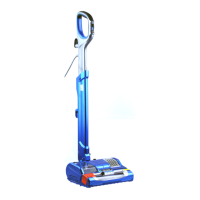


 To Next Page