13
www.sharkclean.com
Troubleshooting Guide
PROBLEM POSSIBLE REASONS & SOLUTIONS
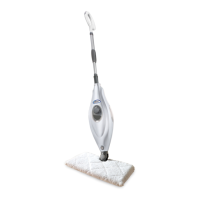
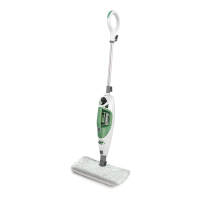
The Shark
®
Professional 2
in 1 Steam Pocket Mop will
not turn-on.
Your steam mop should be securely plugged into an electrical outlet only.
Check your fuse or breaker.
If your unit still does not work, call Customer Care at 1-800-798-7398.
The unit will not
make steam.
Is there water in the water tank? If not, add water to your steam mop following
instructions on page 4.
If the unit still does not make steam, follow the instructions on page 11 to clean
the nozzle.
The Shark
®
Professional
2 in 1 Steam Pocket Mop
leaves water on the floor.
Check to see if your cleaning pad is too wet. We recommend you unplug the
steam mop and change the cleaning pad.
Make sure the cleaning pad is attached correctly.
Cannot select steam
setting/flashing blue light
remains on.
If you have already plugged in your unit, unplug and try a different outlet. This
may reset the standby mode.
Add water to the tank and select steam setting by pressing the STEAM
CONTROL button.
If your unit still does not work, call Customer Care at 1-800-798-7398.
The Shark
®
Professional 2
in 1 Steam Pocket Mop left
a white spot on the floor.
Do not leave your steam mop on the floor with a damp or wet cleaning pad.
If you’re using tap water, we recommend switching to distilled water.
Make sure the cap is securely on the water tank.
Floors are cloudy, streaky
or spotty after steaming.
The cleaning pad might be dirty. Flip or change the cleaning pad.
If you washed the cleaning pad with powder detergent, then your pad could be
damaged and require replacement.
This could also be an indication of prior soap or grease residue that has
accumulated on the floor. As our steam mops use only a small amount of
water, it may not be wet enough to rinse off the accumulation that the steam
is bringing to the surface. We suggest rinsing the floor with nothing but water,
letting it dry, and then steam mopping again with a clean pad. One or more
rinses generally removes the residue.
A more stubborn case may require you to rinse the floor with a mix of one part
vinegar and two parts water.
The Shark
®
Professional 2
in 1 Steam Pocket Mop is
hard to push.
Make sure the cleaning pad is attached correctly.
Check to see if the cleaning pad is excessively dirty. If so, replace the cleaning pad.
The nozzle leaves water
drops on the garment or
upholstery.
The garment steam bonnet or the upholstery bonnet must be in place at all
times during usage. The steamer bonnet prevents water drops from being left
on the garment or the upholstery and removes impurities from your water.
If the steamer bonnet is too wet or the frame has condensation, let the unit cool
for 30 minutes, remove the steamer bonnet and let it dry out before using again,
or replace with a new steamer bonnet.


 To Next Page