RUSH FIREGLIDER/FIREGLIDER BLACK
ENGLISH
7.3.4.5 Macro play back mode
Choosebetweenthefollowingmenuitems:
1. PlayMacroOnceONLY:themacrowillbeexecutedonceby
pressing the button.
2. PlayMacroRepeatedly:themacrowillbeexecutedseveral
times.You may dene if the macro is replayed until the
button is released (Press to start. Release to stop) or if the
macroisexecutedaslongafterhittingthebuttonuntilany
otherbuttonispressed(Presstostart.Re-presstostop).
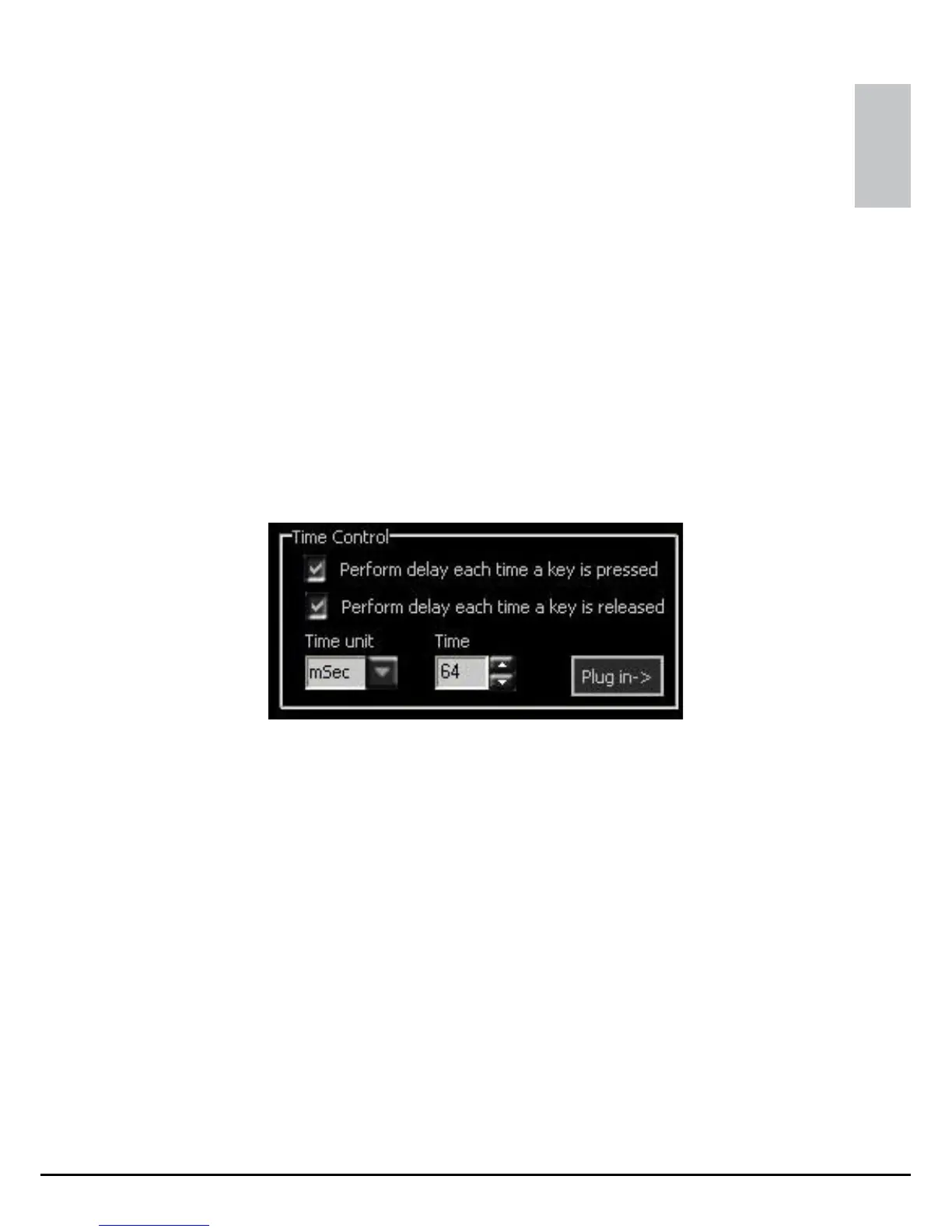
7.3.4.6 Time control
Tickthecheckboxestodeneifthetimedelayshallbecarried
out after pressing the button or after releasing it.
Thecomboboxesallowyoutosettimeunitandtimedelay.
“Plug in” copies your settings to the code area.



 To Next Page