12
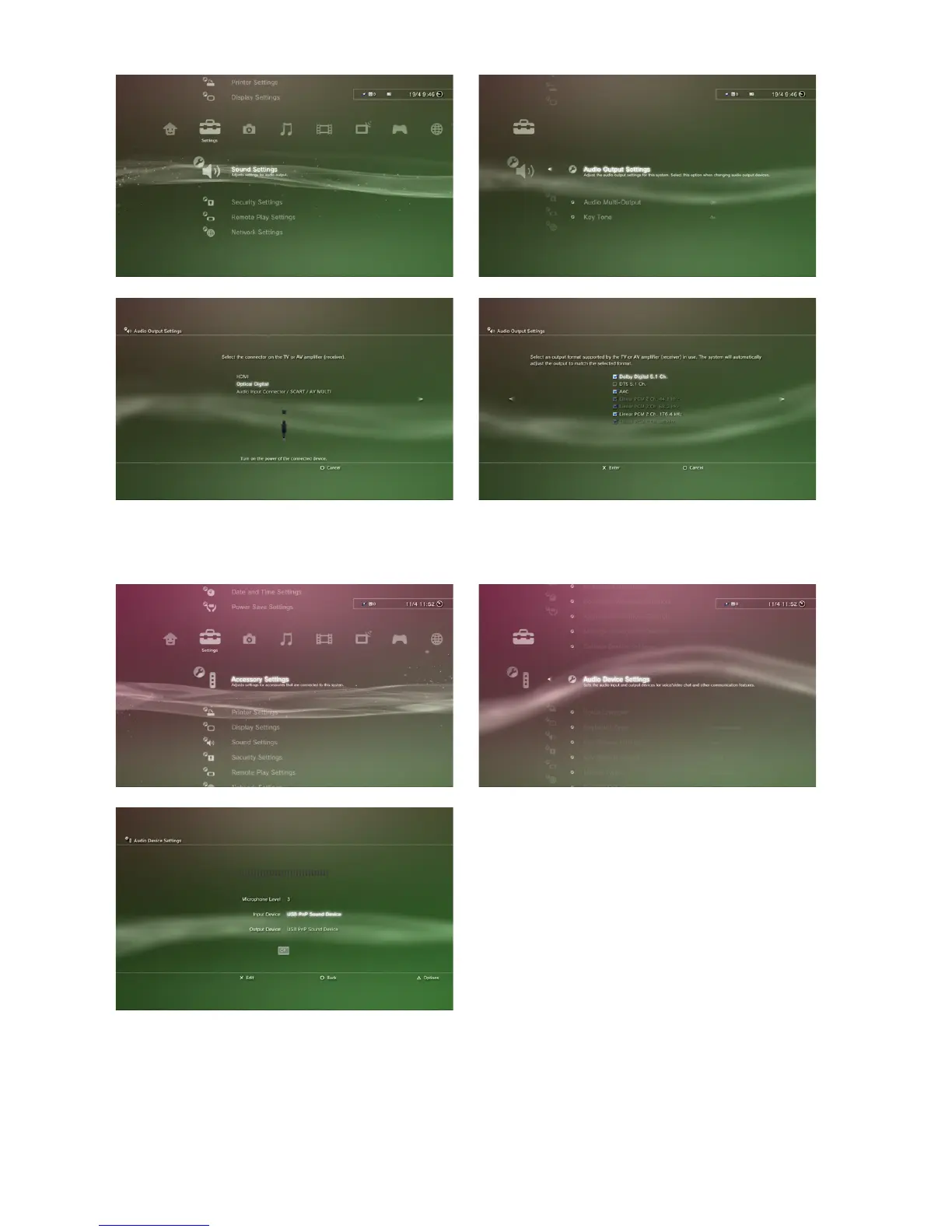
8. Under “Settings” > “Accessory Settings” > “Audio Device Settings” define “USB
PnP Sound Device” as input and output device:
Note:
In this menu you may also adjust the microphone intensity setting. The default value
for this setting is “3” and does normally not need to be adjusted when using the X-Tatic
PRO’s microphone. Increase the intensity setting, in case your chat partner does not
properly hear you.



 To Next Page