9
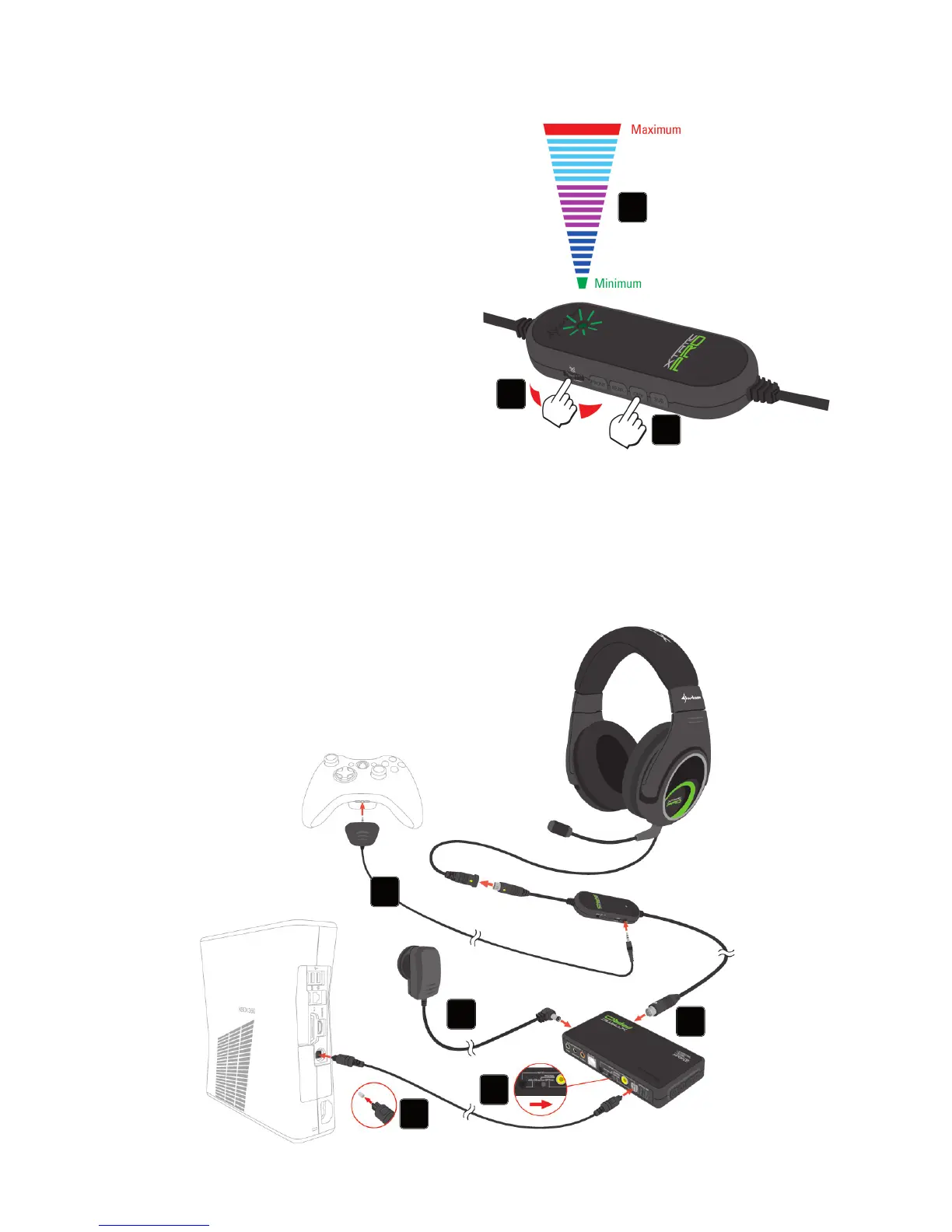
5.5 Channel volume adjustment
1. Select the channel for which you
would like to adjust the volume.
2. The status LED will indicate the
current volume level with different
colors (see above).
3. Adjust the volume to your liking (red
LED color = maximum volume level;
green LED color = minimum volume
level).
Note:
To adjust another channel’s volume and / or the master volume wait until the LED has
turned back to white color.
6. Connecting to Xbox 360
®
3
1
2
1
2
3
4
5



 To Next Page