18
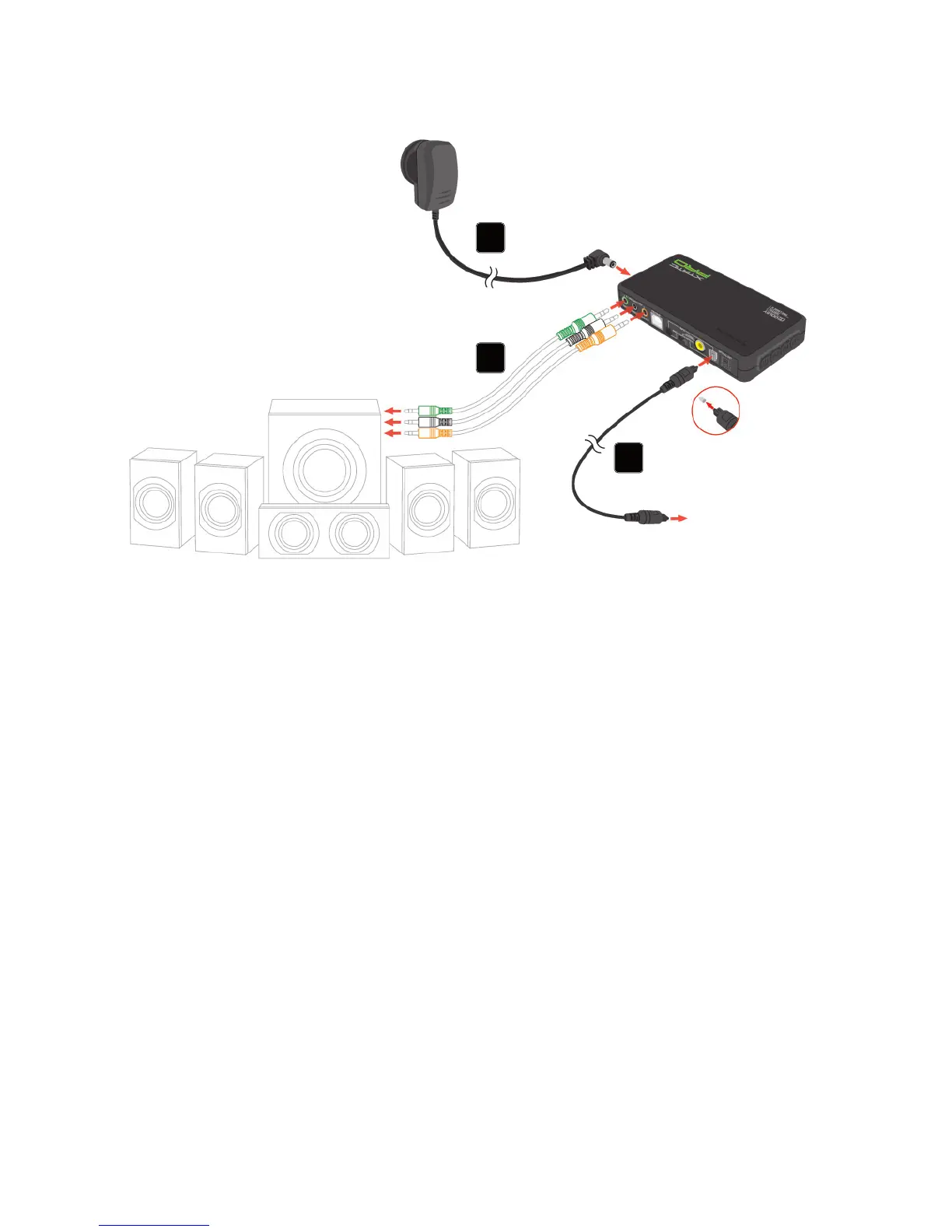
11. Connecting a 5.1 surround sound system
(or headset) to the SCU
1. Connect the 3.5 mm analog audio connection cables (not included) to the analog
audio outputs of the SCU and the sound system/headset.
2. Connect the optical cable (remove protective caps on both ends!) to the optical
audio output of the sound source and the SCU’s optical audio input (grey lid).
3. Connect the power adapter of the X-Tatic to a wall outlet and the SCU‘s ISO
power jack.
4. Switch on the SCU, the audio source and the sound system/headset.
1
2
3



 To Next Page