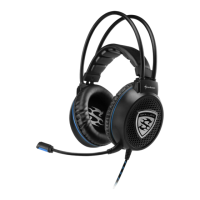
X-TATIC DIGITAL
8. Using the X-Tatic Digital with the Xbox / Xbox 360
1. Connect the optical cable (remove protective caps!) to the optical audio output of your
Xbox / Xbox 360 and the SCU’s optical audio input.
2. Connect the X-Tatic to the SCU by plugging the headset cable’s 9-pin connector to
the SCU’s 9-pin plug.
3. Connect the microphone cable for Xbox 360 to the respective
microphone input on the X-Tatic’s volume controller and the controller of the game
pad.
4. Connectthepowersupplydeliveredwith the X-Tatic to a walloutlet,theadapter‘s
angledpowerplugtotheSCU‘sISOpowerjackandthestraightpowerplugtothe
respective headset cable’s power connector.
Note:
In case you are using the version with two separate power adapters, proceed as
follows:
4. a) Connect one of the included power supplies to a wall outlet and the angled
power plug to the SCU’s ISO power connector.
4. b) Connect the second power supply delivered with the X-Tatic to a wall outlet
and the straight power plug to the headset cable’s ISO power connector.
5. Switch on the SCU and the game pad.
6. From the Xbox 360’s settings menu (“System” > “Console Settings” > “Audio” >
“Digital Output”) select Dolby Digital 5.1 as output format.
Note:
From the Xbox’s settings menu select Dolby Digital 5.1 as output format.
9. Using the X-Tatic Digital with the PS2 / PS3
1. Connect the optical cable (remove protective caps!) to the optical audio output of your
PS2 / PS3 and the SCU’s optical audio input.
2. Connect the X-Tatic to the SCU by plugging the headset cable’s 9-pin connector to
the SCU’s 9-pin plug.
3. Connect the USB microphone cable for PS3 to the SCU’s USB connector and the
respectiveUSBconnectorofthegamepad.
4. Connectthepowersupplydeliveredwith the X-Tatic to a walloutlet,theadapter‘s
angledpowerplugtotheSCU‘sISOpowerjackandthestraightpowerplugtothe
respective headset cable’s power connector.
Note:
In case you are using the version with two separate power adapters, proceed as
follows:
4. a) Connect one of the included power supplies to a wall outlet and the angled
power plug to the SCU’s ISO power connector.
4. b) Connect the second power supply delivered with the X-Tatic to a wall outlet
and the straight power plug to the headset cable’s ISO power connector.
5. Switch on the SCU and the game pad.
6. Fromthegamepad’ssettingsmenu(“Settings”>“SoundSettings”>“AudioOutput
Settings”>“DigitalOut(Optical)”)selectDolbyDigital5.1asoutputformat.


 To Next Page