X-TATIC DIGITAL
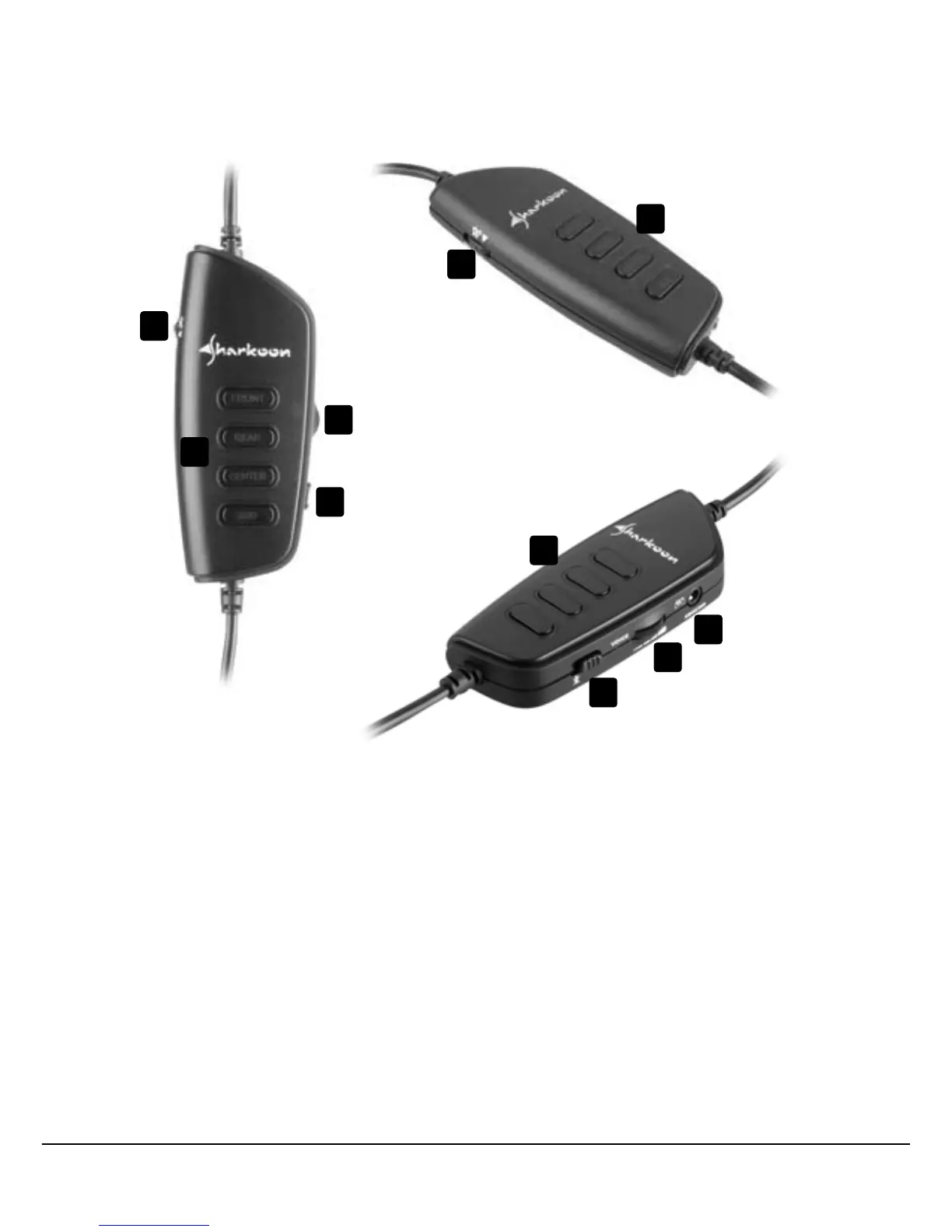
5.1 The volume controller
A – Volumeadjustmentforeachchannelafterpressingtheaccordingbutton(button
illuminated)ormainvolumeadjustmentrespectively(allbuttonsilluminated)as
well as volume on/off (by pressing this controller)
B – Microphonevolume(onlyXbox360)
C – Controlbuttonforthefront,rearandcenterspeakeraswellasforthesubwoofer
(Sub). The volume level is displayed by different colors.
D – Microphoneon/off
(E – Connection for Xbox 360 microphone – see below 8.)
Note:
To switch on/off the headset press the button for volume adjustment (see above A)
and the control button for the front speaker (Front, see above C) simultaneously for
~5 seconds.
A
B
C
D
E
A
C
B
D
C


 To Next Page