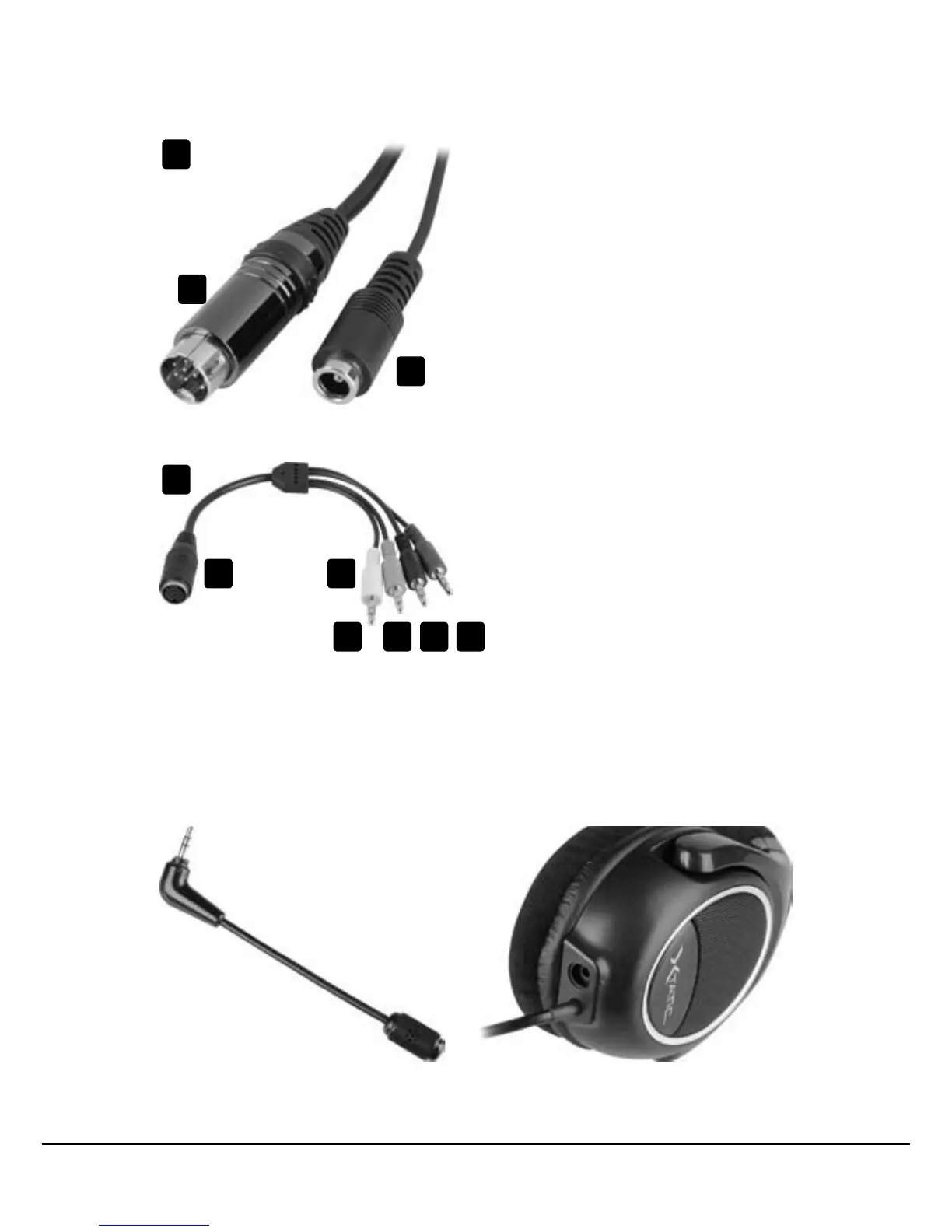
B – Cableadapter
a – 9-pinanalogjack
b – 3.5 mm stereo plug for each
channel:
1 – Microphoneconnector
(pink)
2 – Subwoofer connector
(orange)
3 – Connector for rear speakers
(black)
4 – Connector for front
speakers (green)
5.2 The connectors
A – Headset connectors
a – 9-pin analog connector
b – ISO power connector
5.3 Connecting the microphone to the headset
1. Insert the microphone’s 3.5 mm stereo plug (fig. 1) loosely into the headset’s micro-
phone connector (fig. 2).
fig. 2fig. 1
A
B
a
b
1 2 3 4
a b



 To Next Page