Note:
From the PS2’s settings menu select Dolby Digital 5.1 as output format.
10. Connecting the headset to a PC or any other source
(analog)
1. Connect the included power supply to a wall outlet and the straight power plug to the
headset’s ISO power connector.
2. Connect the cable adapter’s 9-pin connector to the according connector of the headset
cable.
3. Connect the X-Tatic Digital‘s single 3.5 mm stereo plugs to the respective analog
connector jacks of your PC’s 5.1 sound card (or any other compatible device). For
convenienthandling,theconnectorsarecolorcoded.Theheadsetisreadytouse.
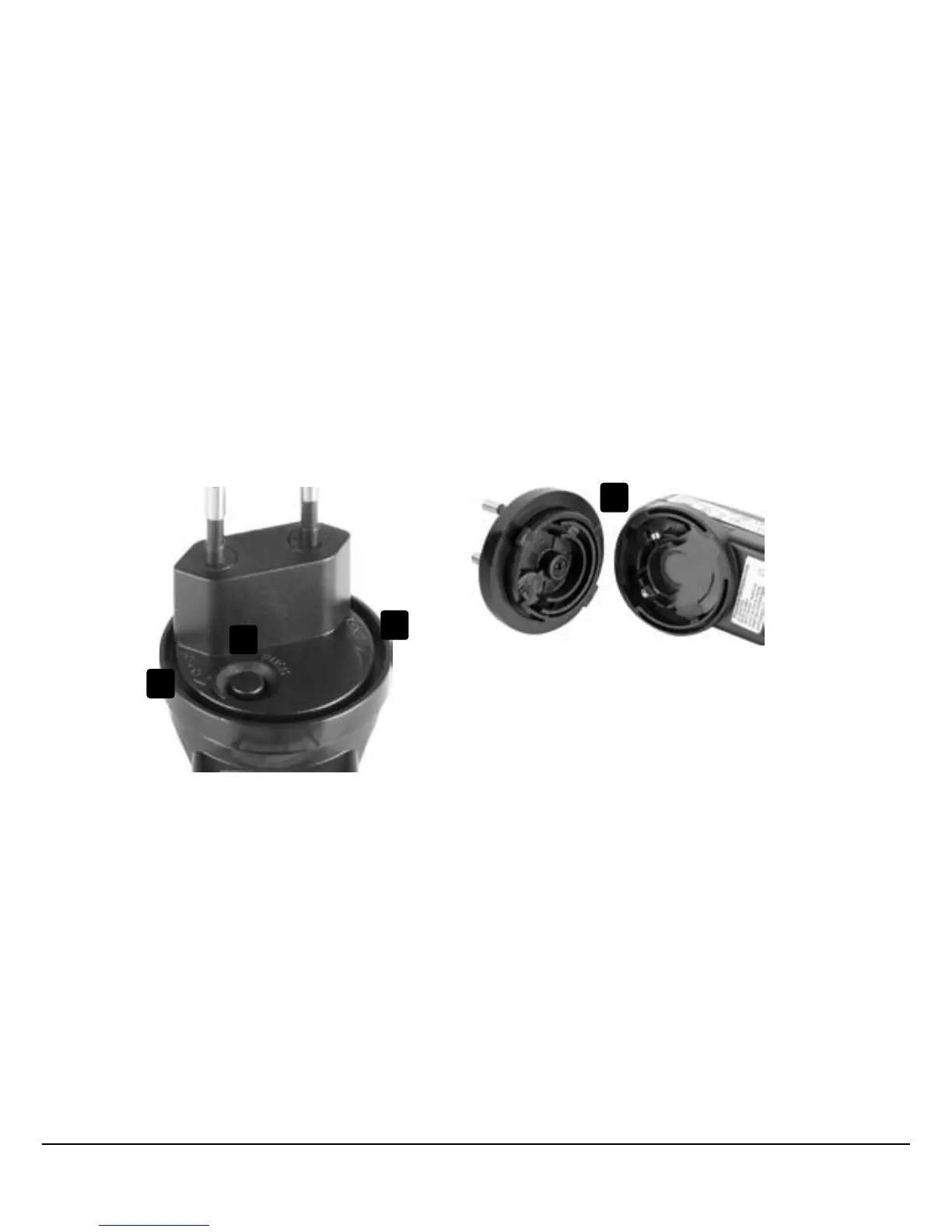
11. The power supply
• Interlock(presstoopen/A)
• Turnanticlockwisetoopen(B)
• Turnclockwisetoclose(C)
• Lifting/connectingtheadapter(D)
A
B
C
D


 To Next Page